
Network User's Guide for Internet Fax
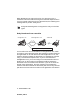


Table Of Contents
- Internet FAX User’s Guide
- Table of Contents
- 1 Control Panel Setup
- 2 Internet FAX
- 3 Configuring Internet Printing for Windows®
- Internet Printing Installation
- Overview
- Brother Internet Print General Information
- Brother Internet Print Configuring the Brother Print/Fax Server
- Brother Internet Print Using BRAdmin Professional utility to Configure the Print Server
- Brother Internet Print Installing the BIP software on Windows® 98/Me/2000/XP
- Adding a Second Brother Internet Port
- Other Sources of Information
- Internet Printing Installation
- INDEX

INTERNET FAX 2 - 9
NC9100h_FM6.0
After the trusted domain is set you can send the document from your
machine [I.E. FAX@brother.com] by entering the E-mail address of
the machine [I.E. UKFAX@brother.co.uk] that will forward the
document followed by the phone number of the fax that will receive
the document. The following is an example of how to enter the E-mail
address and phone number.
Sending to multiple phone numbers:
If you want to have the document relayed to more than one standard
fax machine the address can be entered using the following method:
1
Enter the phone number of the first Fax machine
UKFAX@brother.co.uk(Fax#123).
2
Press the “Set” key.
3
Enter the phone number of the second Fax machine
UKFAX@brother.co.uk(Fax#456).
4
Press Black Start.
TX Verification Mail
Transmission Verification Mail supports two separate functions.
Verification Mail for sending allows you request notification from the
receiving station that the I-Fax or E-mail was received and
processed. Verification Mail for receiving allows you to transmit a
default report back to the sending station after successfully receiving
and processing an I-Fax or E-mail.
To use this feature you must set the “Notification” option within the
“Setup Mail RX” and “Setup Mail TX” options.
UKFAX@brother.co.uk(fax#123456789)
E-mail address Fax Phone Number
The word “fax#” must be
included with the phone
number inside the parenthesis.