
Network User's Guide for Internet Fax
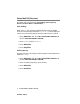
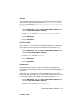

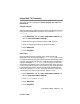
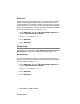
Table Of Contents
- Internet FAX User’s Guide
- Table of Contents
- 1 Control Panel Setup
- 2 Internet FAX
- 3 Configuring Internet Printing for Windows®
- Internet Printing Installation
- Overview
- Brother Internet Print General Information
- Brother Internet Print Configuring the Brother Print/Fax Server
- Brother Internet Print Using BRAdmin Professional utility to Configure the Print Server
- Brother Internet Print Installing the BIP software on Windows® 98/Me/2000/XP
- Adding a Second Brother Internet Port
- Other Sources of Information
- Internet Printing Installation
- INDEX

1 - 17 CONTROL PANEL SETUP
NC9100h_FM6.0
Notification
Notification feature when switched to On sends two fields of data in
addition to the image data which requests a notification from the
receiving station for successful reception. The receiving I-Fax station
must support the MDN standard in order to be able to understand the
request and consequently submit a notification message confirming
successful receipt of the I-Fax (default is Off).
1
Press Menu/Set, 5, 4, 3 for MFC-3340CN/MFC-5840CN. (4,
4, 3 for FAX-1940CN/MFC-5440CN)
2
Press ▲ or ▼ to select On or Off.
3
Press Menu/Set.
4
Press Stop/Exit.
Setup Relay
This menu has three selections: Rly Broadcast, Relay Domain and
Relay Report. For details on Relay Broadcasting refer to
2-7.
Rly Broadcast
This function allows the machine to receive a document over the
Internet, and then relay it to other fax machines through conventional
analog landlines (default is Off).
1
Press Menu/Set, 5, 5, 1 for MFC-3340CN/MFC-5840CN. (4,
5, 1 for FAX-1940CN/MFC-5440CN)
2
Press ▲ or ▼ to select On or Off.
3
Press Menu/Set.
4
Press Stop/Exit.