
Network User's Guide


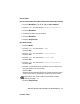

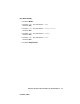

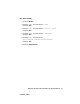
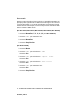
Table Of Contents
- Guida dell'utente abilitato alla connessione di rete NC-110h
- INFORMAZIONI IMPORTANTI: NORMATIVE
- Sommario
- 1. Introduzione
- 2. Configurazione TCP/IP
- 3. Impostazione del pannello anteriore
- 4. Stampa di rete da Windows® (Peer-to-peer)
- 5. Stampa di rete da Macintosh®
- 6. Risoluzione dei problemi
- Appendice
- INDICE

IMPOSTAZIONE DEL PANNELLO ANTERIORE 3 - 13
NC9100h_FM6.0
Server DNS
(Per MFC-410CN, MFC-620CN, MFC-3340CN, MFC-5440CN, MFC-5840CN)
1
Premere Menu/Set, 5, 1, 8. (4, 1, 8 per MFC-5440CN)
2
Premere ▲ o ▼ per selezionare Primario o Secondario.
3
Premere Menu/Set.
4
Immettere l'indirizzo del server DNS.
5
Premere Menu/Set.
6
Premere Stop/Uscita.
(Per DCP-310CN)
1
Premere Menu.
2
Premere ▲ o ▼ per selezionare 3.LAN.
Premere Set.
3
Premere ▲ o ▼ per selezionare 1.Setup TCP/IP.
Premere Set.
4
Premere ▲ o ▼ per selezionare 8.Server DNS.
Premere Set.
5
Premere ▲ o ▼ per selezionare Primario o Secondario.
Premere Set.
6
Premere ▲ ripetutamente per immettere il primo numero a tre
cifre per l'indirizzo del server DNS.
Premere Set.
Ripetere questo passaggio finché non è stato immesso il quarto
numero a tre cifre per completare l'indirizzo del server DNS.
7
Premere Stop/Uscita.
Ogni numero può anche essere incrementato o ridotto
tenendo premuto
▲ o ▼.