
User Manual

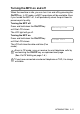
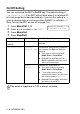


Table Of Contents
- USER’S GUIDE MFC-5440CN/MFC-5840CN
- Brother numbers
- Ordering accessories and supplies
- Safety precautions
- Choosing a location
- Quick Reference Guide
- Table of Contents
- 1 Introduction
- 2 Getting started
- Initial Setup
- General Setup
- Setting the Mode Timer
- Setting the Paper Type
- Setting the Paper Size
- Setting the Ring Volume
- Setting the Beeper Volume
- Setting the Speaker Volume
- Turning on Automatic Daylight Savings Time
- Setting the LCD Contrast
- Setting the Tray Use for Copy mode (MFC-5840CN only)
- Setting the Tray Use for Fax mode (MFC-5840CN only)
- 3 Setup Send
- 4 Setup Receive
- 5 Quick-Dial numbers and dialing options
- 6 Remote Fax Options (Not available for color faxes)
- 7 Printing reports
- 8 Making copies
- 9 Walk-Up PhotoCapture Center™ (MFC-5840CN only)
- 10 Important information
- 11 Troubleshooting and routine maintenance
- Appendix A
- Appendix B
- Glossary
- Specifications
- Index
- Remote Retrieval Access card
- brother USA/CAN

INTRODUCTION 1 - 5
Turning the MFC on and off
When the machine is idle, you can turn it on and off by pressing the
On/Off
key. In Off mode, no MFC operations will be available. Even
if you turned the MFC off, it will periodically clean the print head to
preserve print quality.
Turning the MFC off
Press and hold down the
On/Off
key
until the LCD shows:
The LCD light will go off.
Turning the MFC on
Press and hold down the
On/Off
key
until the LCD shows:
The LCD will show the date and time (Fax
mode).
Even in Off mode, you can receive fax and telephone calls by
customizing the
On/Off
key as explained next page.
(See On/Off Setting on page 1-6.)
If you have connected an external telephone or TAD, it is always
available.
Shutting Down
Please Wait