
User Manual



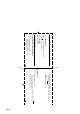
Table Of Contents
- USER’S GUIDE MFC-5440CN/MFC-5840CN
- Brother numbers
- Ordering accessories and supplies
- Safety precautions
- Choosing a location
- Quick Reference Guide
- Table of Contents
- 1 Introduction
- 2 Getting started
- Initial Setup
- General Setup
- Setting the Mode Timer
- Setting the Paper Type
- Setting the Paper Size
- Setting the Ring Volume
- Setting the Beeper Volume
- Setting the Speaker Volume
- Turning on Automatic Daylight Savings Time
- Setting the LCD Contrast
- Setting the Tray Use for Copy mode (MFC-5840CN only)
- Setting the Tray Use for Fax mode (MFC-5840CN only)
- 3 Setup Send
- 4 Setup Receive
- 5 Quick-Dial numbers and dialing options
- 6 Remote Fax Options (Not available for color faxes)
- 7 Printing reports
- 8 Making copies
- 9 Walk-Up PhotoCapture Center™ (MFC-5840CN only)
- 10 Important information
- 11 Troubleshooting and routine maintenance
- Appendix A
- Appendix B
- Glossary
- Specifications
- Index
- Remote Retrieval Access card
- brother USA/CAN

R - 2
Press
Menu/Set
,
2
,
5
,
2
.
fax number where you want your fax messages forwarded
followed by .
Program Fax Forwarding Number, press
4
. Enter the new
Turn Fax Storage On
,
press
6
.
R
ETRIEVE A
F
AX
Press
9 6
then to
Retrieve all faxes, press
2
,
then enter the number of remote fax machine followed by .
After the beep, hang up and wait.
Erase all fax messages, press
3
.
Changing Remote Access Code
1
2
Enter a three-digit number from 000 to 999.
The cannot be changed.
3
Press
Menu/Set
.
4
Press
Stop/Exit
.
Remote Commands
C
HANGE
P
AGING
/F
AX
F
ORWARDING
S
ETTING
Press
9 5
.
then to Turn feature Off, press
1
.
Select Fax Forwarding, press
2
.
Select Paging, press
3
.
3
2
Fold Fold