
User Manual



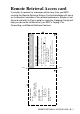
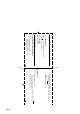
Table Of Contents
- USER’S GUIDE MFC-5440CN/MFC-5840CN
- Brother numbers
- Ordering accessories and supplies
- Safety precautions
- Choosing a location
- Quick Reference Guide
- Table of Contents
- 1 Introduction
- 2 Getting started
- Initial Setup
- General Setup
- Setting the Mode Timer
- Setting the Paper Type
- Setting the Paper Size
- Setting the Ring Volume
- Setting the Beeper Volume
- Setting the Speaker Volume
- Turning on Automatic Daylight Savings Time
- Setting the LCD Contrast
- Setting the Tray Use for Copy mode (MFC-5840CN only)
- Setting the Tray Use for Fax mode (MFC-5840CN only)
- 3 Setup Send
- 4 Setup Receive
- 5 Quick-Dial numbers and dialing options
- 6 Remote Fax Options (Not available for color faxes)
- 7 Printing reports
- 8 Making copies
- 9 Walk-Up PhotoCapture Center™ (MFC-5840CN only)
- 10 Important information
- 11 Troubleshooting and routine maintenance
- Appendix A
- Appendix B
- Glossary
- Specifications
- Index
- Remote Retrieval Access card
- brother USA/CAN

REMOTE RETRIEVAL ACCESS CARD R - 1
Remote Retrieval Access card
If you plan to receive fax messages while away from your MFC,
carrying the Remote Retrieval Access Card printed below will serve
as a convenient reminder of the retrieval procedures. Simply cut out
the card and fold it to fit your wallet or organizer. Keeping it handy will
help you derive the full benefit of your MFC’s Paging, Fax
Forwarding, and Remote Retrieval features.
Using Remote Access Code
1
Dial your fax number from a telephone or fax machine using
touch tone.
When your machine answers, immediately enter your
Remote Access Code (3 digits followed by ).
Your machine signals the kinds of messages it received:
1 long beep — Fax messages
No beeps — No messages.
After 2 short beeps, enter a command.
Press
9 0
to reset your machine when you finish.
Hang up.
2
3
4
5
6
1
4
Press
9 7 1
1 long beep — Fax messages
3 short beeps — No messages
C
HANGE
R
ECEIVE
M
ODE
Press
9 8
then for External TAD, press
1
.
Fax Only, press
3
.
Fax/Tel, press
2
.
E
XIT
R
EMOTE
O
PERATION
Press
9 0
.
CHECK RECEIVING STATUS
R
EMOTE
R
ETRIEVAL
A
CCESS
C
ARD
Fold Fold