
User Manual



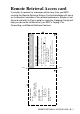
Table Of Contents
- USER’S GUIDE MFC-5440CN/MFC-5840CN
- Brother numbers
- Ordering accessories and supplies
- Safety precautions
- Choosing a location
- Quick Reference Guide
- Table of Contents
- 1 Introduction
- 2 Getting started
- Initial Setup
- General Setup
- Setting the Mode Timer
- Setting the Paper Type
- Setting the Paper Size
- Setting the Ring Volume
- Setting the Beeper Volume
- Setting the Speaker Volume
- Turning on Automatic Daylight Savings Time
- Setting the LCD Contrast
- Setting the Tray Use for Copy mode (MFC-5840CN only)
- Setting the Tray Use for Fax mode (MFC-5840CN only)
- 3 Setup Send
- 4 Setup Receive
- 5 Quick-Dial numbers and dialing options
- 6 Remote Fax Options (Not available for color faxes)
- 7 Printing reports
- 8 Making copies
- 9 Walk-Up PhotoCapture Center™ (MFC-5840CN only)
- 10 Important information
- 11 Troubleshooting and routine maintenance
- Appendix A
- Appendix B
- Glossary
- Specifications
- Index
- Remote Retrieval Access card
- brother USA/CAN
I - 6 INDEX
Troubleshooting ................ 11-1
checking ink volume .... 11-19
document jam ................ 11-5
error messages on LCD
... 11-1
if you are having difficulty
copying ..................... 11-12
incoming calls ........... 11-12
Network ..................... 11-13
phone line ................. 11-14
phone line difficulties
... 11-11
PhotoCapture Center
™
................................. 11-13
printing ........................ 11-9
printing or receiving
faxes ....................... 11-10
Printing Received
Faxes ...................... 11-10
receiving faxes .......... 11-11
scanning ................... 11-12
sending faxes ............ 11-11
software .................... 11-12
paper jam ....................... 11-6
print quality .................. 11-15
True2Life
®
PhotoCapture Center
™
... 9-10
Two-line phone system .... A-13
V
Volume, setting ................... 2-5
beeper ............................. 2-5
ring ................................... 2-5
speaker ............................ 2-6
W
Warranties ............................. iii
Canada ...............................vi
Notice-Disclaimer ............... iii
USA ....................................iv
World Wide Web .....................i