
User Manual

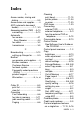
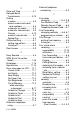
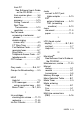
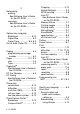


Table Of Contents
- USER’S GUIDE MFC-5440CN/MFC-5840CN
- Brother numbers
- Ordering accessories and supplies
- Safety precautions
- Choosing a location
- Quick Reference Guide
- Table of Contents
- 1 Introduction
- 2 Getting started
- Initial Setup
- General Setup
- Setting the Mode Timer
- Setting the Paper Type
- Setting the Paper Size
- Setting the Ring Volume
- Setting the Beeper Volume
- Setting the Speaker Volume
- Turning on Automatic Daylight Savings Time
- Setting the LCD Contrast
- Setting the Tray Use for Copy mode (MFC-5840CN only)
- Setting the Tray Use for Fax mode (MFC-5840CN only)
- 3 Setup Send
- 4 Setup Receive
- 5 Quick-Dial numbers and dialing options
- 6 Remote Fax Options (Not available for color faxes)
- 7 Printing reports
- 8 Making copies
- 9 Walk-Up PhotoCapture Center™ (MFC-5840CN only)
- 10 Important information
- 11 Troubleshooting and routine maintenance
- Appendix A
- Appendix B
- Glossary
- Specifications
- Index
- Remote Retrieval Access card
- brother USA/CAN
INDEX I - 1
Index
A
Access codes, storing and
dialing ................................5-5
Accessories and supplies .......ii
ADF (automatic document
feeder) ........................1-7, 3-3
Answering machine (TAD)
...A-10
connecting ......................A-12
Automatic
fax receive ........................4-1
Easy Receive ................4-4
fax redial ...........................3-2
transmission .....................3-5
B
Broadcasting .....................3-12
setting up Groups for ........5-3
Brother
accessories and supplies .....ii
Brother numbers .................. i
Customer Service ................. i
fax back system ...................ii
Frequently asked questions
(FAQs) ................................ i
product support .................... i
Warranties ..................iii, iv, vi
C
Caller ID ..............................A-5
print list .............................A-6
view list .............................A-6
Canceling
Fax Forwarding ................6-6
fax jobs in memory .........3-11
jobs awaiting redial .........3-11
Paging ..............................6-6
Cleaning
print head ......................11-15
printer platen .................11-24
scanner .........................11-23
CNG tones .........................1-23
Connecting
external TAD ..................A-10
external telephone ........... A-9
two-line external TAD or
telephone ..................... A-15
Consumable items ............ S-10
Control Center
See Software User’s Guide on
the CD-ROM.........................
Control panel overview ........1-2
Copy
brightness .......................8-10
color adjustment .............8-17
contrast ...........................8-16
default settings ...............8-16
Enlarge/Reduce ........ 8-5, 8-8
enter Copy mode ..............8-1
keys ..................................8-3
multiple .............................8-2
Out of Memory ................8-17
Page Layout ...................8-12
paper ........................ 8-6, 8-9
Quality key ................ 8-4, 8-8
quality setting ..................8-16
setting tray use .................2-7
single ................................8-2
Sort (ADF only) ...............8-11
temporary settings ............8-3
using ADF .........................8-2
Cordless phone .................. A-8
Credit card numbers ............5-5
Custom telephone features
on a single line ....11-12, A-16