
User Manual


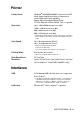
Table Of Contents
- USER’S GUIDE MFC-5440CN/MFC-5840CN
- Brother numbers
- Ordering accessories and supplies
- Safety precautions
- Choosing a location
- Quick Reference Guide
- Table of Contents
- 1 Introduction
- 2 Getting started
- Initial Setup
- General Setup
- Setting the Mode Timer
- Setting the Paper Type
- Setting the Paper Size
- Setting the Ring Volume
- Setting the Beeper Volume
- Setting the Speaker Volume
- Turning on Automatic Daylight Savings Time
- Setting the LCD Contrast
- Setting the Tray Use for Copy mode (MFC-5840CN only)
- Setting the Tray Use for Fax mode (MFC-5840CN only)
- 3 Setup Send
- 4 Setup Receive
- 5 Quick-Dial numbers and dialing options
- 6 Remote Fax Options (Not available for color faxes)
- 7 Printing reports
- 8 Making copies
- 9 Walk-Up PhotoCapture Center™ (MFC-5840CN only)
- 10 Important information
- 11 Troubleshooting and routine maintenance
- Appendix A
- Appendix B
- Glossary
- Specifications
- Index
- Remote Retrieval Access card
- brother USA/CAN
SPECIFICATIONS S - 8
Printer
Interfaces
Printer Driver Windows
®
98/98SE/Me/2000 Professional and XP
driver supporting Brother Native Compression
mode and bi-directional capability
Apple
®
Macintosh
®
QuickDraw
®
Driver
For Mac OS
®
8.6-9.2/Mac OS
®
X 10.2.4 or greater
Resolution Up to 1200 x 6000 dots per inch (dpi)*
1200 x 1200 dots per inch (dpi)
600 x 600 dots per inch (dpi)
600 x 150 dots per inch (dpi)
* Output image quality varies based upon many factors including
but not limited to input image resolution and quality and print
media.
Print Speed up to 20 pages/minute (Black)*
up to 15 pages/minute (Color)*
* Based on Brother standard pattern.
Letter size in draft mode.
Does not include the time it takes to feed the paper.
Printing Width 8.03 inches (8.5 inches)*
* When you set the Borderless feature to On.
Disk-Based Fonts 35 TrueType
Borderless Letter, A4, A6, Photo Card, Index Card, Post Card
(Not available for Tray#2 (MFC-5840CN only))
USB A Full-Speed USB 2.0 cable that is no longer than
6 feet (2.0 m)*
* Your MFC has a Full-Speed USB 2.0 interface. This interface is
compatible with Hi-Speed USB 2.0; however, the maximum
data transfer rate will be 12 Mbits/s. The MFC can also be
connected to a computer that has a USB 1.1 interface.
LAN cable Ethernet UTP cable category 5 or greater.