
User Manual
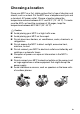
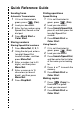



Table Of Contents
- USER’S GUIDE MFC-5440CN/MFC-5840CN
- Brother numbers
- Ordering accessories and supplies
- Safety precautions
- Choosing a location
- Quick Reference Guide
- Table of Contents
- 1 Introduction
- 2 Getting started
- Initial Setup
- General Setup
- Setting the Mode Timer
- Setting the Paper Type
- Setting the Paper Size
- Setting the Ring Volume
- Setting the Beeper Volume
- Setting the Speaker Volume
- Turning on Automatic Daylight Savings Time
- Setting the LCD Contrast
- Setting the Tray Use for Copy mode (MFC-5840CN only)
- Setting the Tray Use for Fax mode (MFC-5840CN only)
- 3 Setup Send
- 4 Setup Receive
- 5 Quick-Dial numbers and dialing options
- 6 Remote Fax Options (Not available for color faxes)
- 7 Printing reports
- 8 Making copies
- 9 Walk-Up PhotoCapture Center™ (MFC-5840CN only)
- 10 Important information
- 11 Troubleshooting and routine maintenance
- Appendix A
- Appendix B
- Glossary
- Specifications
- Index
- Remote Retrieval Access card
- brother USA/CAN

xvi
Before you choose the ring pattern to register ...... A-3
Registering the Distinctive Ring pattern..................... A-4
Turning off the Distinctive Ring.............................. A-4
Caller ID........................................................................... A-5
Viewing Caller ID List................................................. A-6
Printing Caller ID List................................................. A-6
Advanced receiving operations........................................ A-7
Operation from extension telephones........................ A-7
Fax/Tel mode when power key is On ........................ A-7
Fax/Tel mode when power key is Off ........................ A-7
Using a cordless external handset............................. A-8
Changing the remote codes....................................... A-8
Connecting an external device to your MFC.................... A-9
Connecting an external telephone............................. A-9
Connecting an external telephone answering
device (TAD)........................................................ A-10
Sequence ............................................................ A-10
Connections......................................................... A-12
Recording outgoing message (OGM) on
an external TAD............................................... A-12
Special line considerations...................................... A-13
Roll over phone lines ........................................... A-13
Two-line phone system........................................ A-13
Converting telephone wall outlets........................ A-14
Installing MFC, external two-line TAD and
two-line telephone ........................................... A-15
Multi-line connections (PBX).................................... A-16
If you are installing the MFC to work with a PBX ... A-16
Custom features on your phone line........................ A-16
B
Appendix B .......................................................................... B-1
On-screen programming.................................................. B-1
Menu table................................................................. B-1
Memory storage......................................................... B-1
Navigation keys ............................................................... B-2
Entering Text ........................................................... B-12
Inserting spaces .................................................. B-12
Making corrections .............................................. B-12
Repeating letters ................................................. B-12
Special characters and symbols.......................... B-13
G
Glossary ............................................................................... G-1