
User Manual
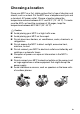
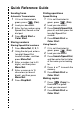



Table Of Contents
- USER’S GUIDE MFC-5440CN/MFC-5840CN
- Brother numbers
- Ordering accessories and supplies
- Safety precautions
- Choosing a location
- Quick Reference Guide
- Table of Contents
- 1 Introduction
- 2 Getting started
- Initial Setup
- General Setup
- Setting the Mode Timer
- Setting the Paper Type
- Setting the Paper Size
- Setting the Ring Volume
- Setting the Beeper Volume
- Setting the Speaker Volume
- Turning on Automatic Daylight Savings Time
- Setting the LCD Contrast
- Setting the Tray Use for Copy mode (MFC-5840CN only)
- Setting the Tray Use for Fax mode (MFC-5840CN only)
- 3 Setup Send
- 4 Setup Receive
- 5 Quick-Dial numbers and dialing options
- 6 Remote Fax Options (Not available for color faxes)
- 7 Printing reports
- 8 Making copies
- 9 Walk-Up PhotoCapture Center™ (MFC-5840CN only)
- 10 Important information
- 11 Troubleshooting and routine maintenance
- Appendix A
- Appendix B
- Glossary
- Specifications
- Index
- Remote Retrieval Access card
- brother USA/CAN

xiv
8
Making copies ......................................................................8-1
Using the MFC as a copier ...............................................8-1
Enter Copy mode........................................................8-1
Making a single copy ..................................................8-2
Making multiple copies ...............................................8-2
Stop copying...............................................................8-2
Using the temporary Copy keys........................................8-3
Increasing copy speed or quality ................................8-4
Enlarging or reducing the image copied .....................8-5
Setting the paper type (MFC-5440CN only) ...............8-6
Using the Tray Select key (MFC-5840CN only)..........8-7
Changing the temporary copy settings.......................8-8
Setting paper type (MFC-5840CN only) .................8-9
Setting paper size...................................................8-9
Adjusting brightness .............................................8-10
Adjusting contrast.................................................8-11
Sorting copies using the ADF...............................8-11
Making N in 1 copies or a poster (Page Layout) ....8-12
Changing the default copy settings.................................8-16
Increasing copy speed or quality ..............................8-16
Adjusting brightness .................................................8-16
Adjusting contrast .....................................................8-16
Adjusting color saturation .........................................8-17
Out of Memory message ..........................................8-17
Legal limitations..............................................................8-18
9
Walk-Up PhotoCapture Center
™
(MFC-5840CN only) .......9-1
Introduction.......................................................................9-1
PhotoCapture Center
™
requirements ..................... 9-2
Getting started ..................................................................9-3
Printing the Index (Thumbnails)........................................9-5
Printing images .................................................................9-6
DPOF printing.............................................................9-8
Changing the default settings .....................................9-9
Increasing print speed or quality.............................9-9
Setting the paper & size .........................................9-9
Adjusting brightness .............................................9-10
Adjusting contrast.................................................9-10
Color enhancement (True2Life
®
)..........................9-10
Cropping...............................................................9-12
Borderless ............................................................9-12
Understanding the Error Messages ..........................9-13
Using PhotoCapture Center
™
from your PC...................9-14
Using PhotoCapture Center
™
for scanning documents....9-14