
User Manual
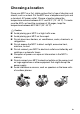
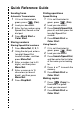



Table Of Contents
- USER’S GUIDE MFC-5440CN/MFC-5840CN
- Brother numbers
- Ordering accessories and supplies
- Safety precautions
- Choosing a location
- Quick Reference Guide
- Table of Contents
- 1 Introduction
- 2 Getting started
- Initial Setup
- General Setup
- Setting the Mode Timer
- Setting the Paper Type
- Setting the Paper Size
- Setting the Ring Volume
- Setting the Beeper Volume
- Setting the Speaker Volume
- Turning on Automatic Daylight Savings Time
- Setting the LCD Contrast
- Setting the Tray Use for Copy mode (MFC-5840CN only)
- Setting the Tray Use for Fax mode (MFC-5840CN only)
- 3 Setup Send
- 4 Setup Receive
- 5 Quick-Dial numbers and dialing options
- 6 Remote Fax Options (Not available for color faxes)
- 7 Printing reports
- 8 Making copies
- 9 Walk-Up PhotoCapture Center™ (MFC-5840CN only)
- 10 Important information
- 11 Troubleshooting and routine maintenance
- Appendix A
- Appendix B
- Glossary
- Specifications
- Index
- Remote Retrieval Access card
- brother USA/CAN

xiii
4
Setup Receive ...................................................................... 4-1
Basic receiving operations ...............................................4-1
Choosing the Receive Mode ...................................... 4-1
To select or change your Receive Mode................ 4-2
Setting the Ring Delay................................................4-2
Setting the F/T Ring Time (Fax/Tel mode only).......... 4-3
Easy Receive .............................................................4-4
Printing a reduced incoming fax (Auto Reduction) ..... 4-5
Printing a fax from the memory ..................................4-5
Polling ........................................................................ 4-6
Setting up Polling Receive ..................................... 4-6
Setting up Sequential Polling Receive ................... 4-6
5
Quick-Dial numbers and dialing options ........................... 5-1
Storing numbers for easy dialing...................................... 5-1
Storing Speed-Dial numbers ...................................... 5-1
Changing Speed-Dial numbers .................................. 5-2
Setting up Groups for Broadcasting ........................... 5-3
Dialing options..................................................................5-5
Access codes and credit card numbers......................5-5
Pause .........................................................................5-5
Tone or Pulse .............................................................5-6
6
Remote Fax Options (Not available for color faxes) ........ 6-1
Setting up Fax Forwarding ......................................... 6-1
Programming your pager number............................... 6-2
Setting Fax Storage.................................................... 6-3
Setting PC Fax Receive ............................................. 6-3
Turning off Remote Fax Options ................................ 6-4
Setting your Remote Access Code.............................6-4
Remote Retrieval..............................................................6-5
Using your Remote Access Code............................... 6-5
Remote commands .................................................... 6-6
Retrieving fax messages............................................ 6-7
Changing your Fax Forwarding number .....................6-7
7
Printing reports .................................................................... 7-1
Fax settings and activity ................................................... 7-1
Customizing the Transmission Verification Report..... 7-1
Setting the Journal Period..........................................7-2
Printing reports ...........................................................7-3
How to print a report...............................................7-3