
User Manual
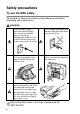
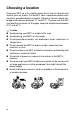
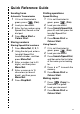

Table Of Contents
- USER’S GUIDE MFC-5440C/MFC-5840CN
- APPROVAL INFORMATION
- Compilation and Publication Notice
- Safety precautions
- Choosing a location
- Quick Reference Guide
- Table of Contents
- 1 Introduction
- 2 Getting started
- 3 Setup Send
- How to enter Fax mode
- How to dial
- How to Fax (B&W and Colour)
- Basic sending operations
- Advanced sending operations
- Broadcasting (Not available for colour faxes)
- Overseas Mode
- Delayed Fax (Not available for colour faxes)
- Delayed Batch Transmission (Not available for colour faxes)
- Setup for Polled Transmit (Standard) (Not available for colour faxes)
- Setup for Polled Transmit with Secure Code (Not available for colour faxes)
- TX Lock (Key Lock for some countries)
- Faxing letter size documents from the scanner glass
- 4 Setup Receive
- 5 Quick-Dial numbers and dialling options
- 6 Remote Fax Options (Not available for colour faxes)
- 7 Printing reports
- 8 Making copies
- 9 Walk-Up PhotoCapture Center™ (MFC-5840CN only)
- 10 Important information
- 11 Troubleshooting and routine maintenance
- Appendix A
- Telephone Service for Australia
- Telephone Service for New Zealand
- Telephone Service for Some Countries
- Advanced receiving operations
- Connecting an external device to your MFC
- Appendix B
- Glossary
- Specifications
- Index
- Remote Retrieval Access card
- brother ARL/ASA/NZ

vi
Table of Contents
1
Introduction .......................................................................... 1-1
Using this Guide ...............................................................1-1
Finding information..................................................... 1-1
Symbols used in this Guide........................................1-1
Control panel overview ..................................................... 1-2
Turning the MFC to Power Save condition................. 1-5
Power Save Setting....................................................1-6
Load documents ............................................................... 1-7
Using the automatic document feeder (ADF) ............. 1-7
Recommended environment .................................. 1-7
Using the scanner glass ............................................. 1-9
About paper .................................................................... 1-10
Recommended Paper............................................... 1-10
Handling and using special paper ............................ 1-11
Paper type and size for each operation................ 1-12
Paper weight, thickness and capacity .................. 1-13
Paper capacity of the output paper tray ..............1-13
Printable area ....................................................... 1-14
How to load paper, envelopes and post cards ......... 1-15
To load paper or other media ...............................1-15
To load paper in the paper tray#2
(MFC-5840CN only) .........................................1-17
To load envelopes ................................................ 1-20
To load post cards................................................1-21
About fax machines ........................................................ 1-22
Fax tones and handshake........................................1-22
ECM (Error Correction Mode)................................... 1-23
2
Getting started ..................................................................... 2-1
Initial Setup....................................................................... 2-1
Setting the Date and Time.......................................... 2-1
Setting Tone or Pulse dialling mode
(Not available in New Zealand) .............................. 2-1
Setting the Station ID..................................................2-2
Setting the Phone Line Type ......................................2-3
PABX and TRANSFER .......................................... 2-3
General Setup ..................................................................2-4
Setting the Mode Timer ..............................................2-4
Setting the Paper Type...............................................2-4
Setting the Paper Size................................................2-5
Setting the Ring Volume............................................. 2-6