
User Manual




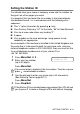
Table Of Contents
- USER’S GUIDE MFC-5440C/MFC-5840CN
- APPROVAL INFORMATION
- Compilation and Publication Notice
- Safety precautions
- Choosing a location
- Quick Reference Guide
- Table of Contents
- 1 Introduction
- 2 Getting started
- 3 Setup Send
- How to enter Fax mode
- How to dial
- How to Fax (B&W and Colour)
- Basic sending operations
- Advanced sending operations
- Broadcasting (Not available for colour faxes)
- Overseas Mode
- Delayed Fax (Not available for colour faxes)
- Delayed Batch Transmission (Not available for colour faxes)
- Setup for Polled Transmit (Standard) (Not available for colour faxes)
- Setup for Polled Transmit with Secure Code (Not available for colour faxes)
- TX Lock (Key Lock for some countries)
- Faxing letter size documents from the scanner glass
- 4 Setup Receive
- 5 Quick-Dial numbers and dialling options
- 6 Remote Fax Options (Not available for colour faxes)
- 7 Printing reports
- 8 Making copies
- 9 Walk-Up PhotoCapture Center™ (MFC-5840CN only)
- 10 Important information
- 11 Troubleshooting and routine maintenance
- Appendix A
- Telephone Service for Australia
- Telephone Service for New Zealand
- Telephone Service for Some Countries
- Advanced receiving operations
- Connecting an external device to your MFC
- Appendix B
- Glossary
- Specifications
- Index
- Remote Retrieval Access card
- brother ARL/ASA/NZ

GETTING STARTED 2 - 2
Setting the Station ID
You should store your name or company name and fax number so
they print on all fax pages you send.
It is important that you enter the fax number in the internationally
standardized format, i.e. in accordance with the following strict
sequence:
■
The “+” (plus) character (by pressing key)
■
Your Country Code (e.g. “61” for Australia, “64” for New Zealand)
■
Your local area code minus any leading “0”
■
A space
■
Your number on the local exchange, using spaces to aid
readability as appropriate.
As an example, if the machine is installed in the United Kingdom and
the same line is to be used for both fax and voice calls, and your
national telephone number is 0161 444 5555, then you must set the
fax and telephone number parts of your station ID as:
+44 161 444 5555.
1
Press
Menu/Set
,
0
,
3
.
2
Enter your fax number
(up to 20 digits).
Press
Menu/Set
.
3
Use the dial pad to enter your name (up to 20 characters).
(See Entering Text on page B-12.)
Press
Menu/Set
.
4
Press
Stop/Exit
.
You cannot enter a hyphen in the fax number. To enter a space
press once between numbers.
If the Station ID has already been programmed, the LCD will ask
you to press
1
to make a change or
2
to exit without changing.
Initial Setup
3.Station ID