
Printer/Fax/Scanner/Copier USER'S GUIDE MFC-5460CN, MFC-5860CN
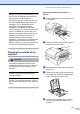
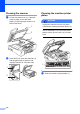


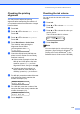
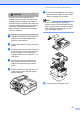
Table Of Contents
- USER’S GUIDE MFC-5460CN MFC-5860CN
- Brother numbers
- Ordering accessories and supplies
- Compilation and Publication Notice
- Table of Contents
- General
- 1 General Information
- 2 Loading documents and paper
- 3 General setup
- 4 Security features
- Fax
- 5 Sending a fax
- Entering Fax mode
- Broadcasting (Black & White only)
- Additional sending operations
- Sending faxes using multiple settings
- Contrast
- Changing Resolution
- Dual access (Black & White only)
- Real time transmission
- Overseas Mode
- Delayed Faxing (Black & White only)
- Delayed Batch Transmission (Black & White only)
- Checking and canceling waiting jobs
- Sending a fax manually
- Sending a fax at the end of a conversation
- Out of Memory message
- 6 Receiving a Fax
- 7 Telephone Services and External devices
- 8 Dialing and storing numbers
- 9 Remote fax options
- 10 Printing Reports
- 11 Polling
- 5 Sending a fax
- Copy
- Walk-up Photo Printing
- Software
- Appendixes
- A Safety and Legal
- Choosing a location
- To use the machine safely
- Important safety instructions
- Standard telephone and FCC Notices (These notices are in effect on models sold and used in the United States only.)
- Federal Communications Commission (FCC) Declaration of Conformity (USA only)
- Industry Canada Compliance Statement (Canada only)
- LAN connection
- Legal limitations for copying
- Trademarks
- B Troubleshooting and Routine Maintenance
- C Menu and Features
- D Specifications
- E Glossary
- F Index
- A Safety and Legal
- brother USA/CAN
Troubleshooting and Routine Maintenance
121
CAUTION
If you are not able to find the yellow
protective parts, DO NOT remove the ink
cartridges before shipping. It is essential
that the machine be shipped with either the
yellow protective parts or the ink cartridges
in position. Shipping without them will
cause damage to your machine and may
void your warranty.
d Unplug the machine from the telephone
wall jack and take the telephone line
cord out of the machine.
e Unplug the machine from the AC power
outlet.
f Lift the scanner cover from the front side
of the machine until it lock securely into
the open position. Then unplug the
interface cable from the machine, if it is
connected.
g Lift the scanner cover to release the
lock. Gently push the scanner cover
support down and close the scanner
cover.
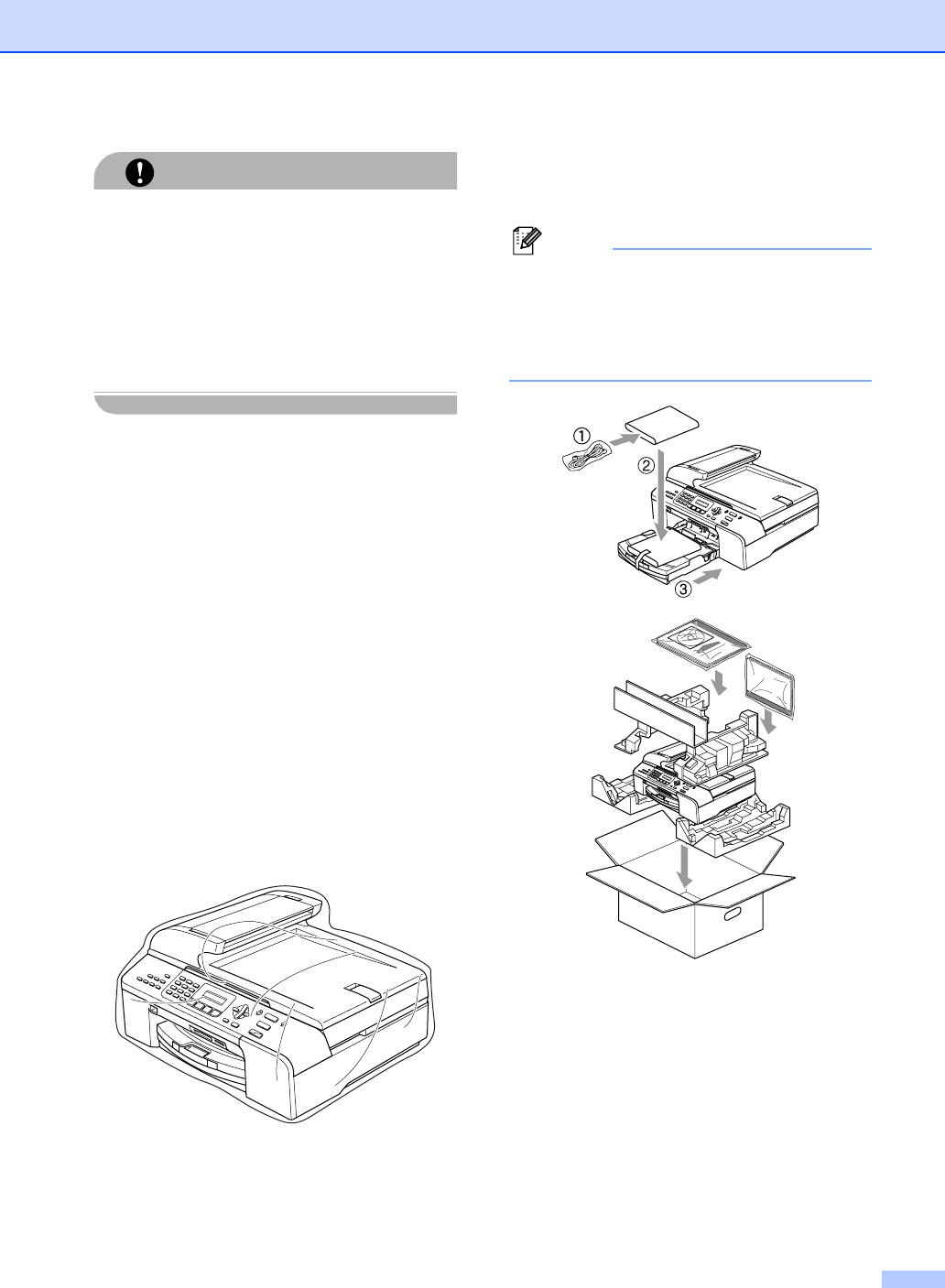
h Wrap the machine in the bag and put it
in the original carton with the original
packing material.
i Pack the printed materials in the original
carton as shown below. Do not pack the
used ink cartridges in the carton.
Note
If you are returning your machine to
Brother as part of the Exchange Service,
pack only the machine. Keep all separate
parts and printed materials to use with
your ‘Exchange’ machine.
j Close the carton and tape it shut.