
Printer/Fax/Scanner/Copier USER'S GUIDE MFC-5460CN, MFC-5860CN
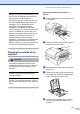
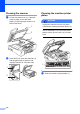


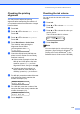
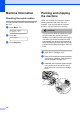
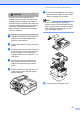
Table Of Contents
- USER’S GUIDE MFC-5460CN MFC-5860CN
- Brother numbers
- Ordering accessories and supplies
- Compilation and Publication Notice
- Table of Contents
- General
- 1 General Information
- 2 Loading documents and paper
- 3 General setup
- 4 Security features
- Fax
- 5 Sending a fax
- Entering Fax mode
- Broadcasting (Black & White only)
- Additional sending operations
- Sending faxes using multiple settings
- Contrast
- Changing Resolution
- Dual access (Black & White only)
- Real time transmission
- Overseas Mode
- Delayed Faxing (Black & White only)
- Delayed Batch Transmission (Black & White only)
- Checking and canceling waiting jobs
- Sending a fax manually
- Sending a fax at the end of a conversation
- Out of Memory message
- 6 Receiving a Fax
- 7 Telephone Services and External devices
- 8 Dialing and storing numbers
- 9 Remote fax options
- 10 Printing Reports
- 11 Polling
- 5 Sending a fax
- Copy
- Walk-up Photo Printing
- Software
- Appendixes
- A Safety and Legal
- Choosing a location
- To use the machine safely
- Important safety instructions
- Standard telephone and FCC Notices (These notices are in effect on models sold and used in the United States only.)
- Federal Communications Commission (FCC) Declaration of Conformity (USA only)
- Industry Canada Compliance Statement (Canada only)
- LAN connection
- Legal limitations for copying
- Trademarks
- B Troubleshooting and Routine Maintenance
- C Menu and Features
- D Specifications
- E Glossary
- F Index
- A Safety and Legal
- brother USA/CAN
Troubleshooting and Routine Maintenance
115
Brother strongly recommends that you do
not refill the ink cartridges provided with
your machine. We also strongly
recommend that you continue to use only
Genuine Brother Brand replacement ink
cartridges. Use or attempted use of
potentially incompatible ink and/or
cartridges in the Brother machine may
cause damage to the machine and/or may
result in unsatisfactory print quality. Our
warranty coverage does not apply to any
problem that is caused by the use of
unauthorized third party ink and/or
cartridges. To protect your investment and
obtain premium performance from the
Brother machine, we strongly recommend
the use of Genuine Brother Supplies.
Cleaning the outside of the
machine B
CAUTION
Use neutral detergents. Cleaning with
volatile liquids such as thinner or benzine
will damage the outside surface of the
machine.
DO NOT use cleaning materials that
contain ammonia.
DO NOT use isopropyl alcohol to remove
dirt from the control panel. It may crack the
panel.
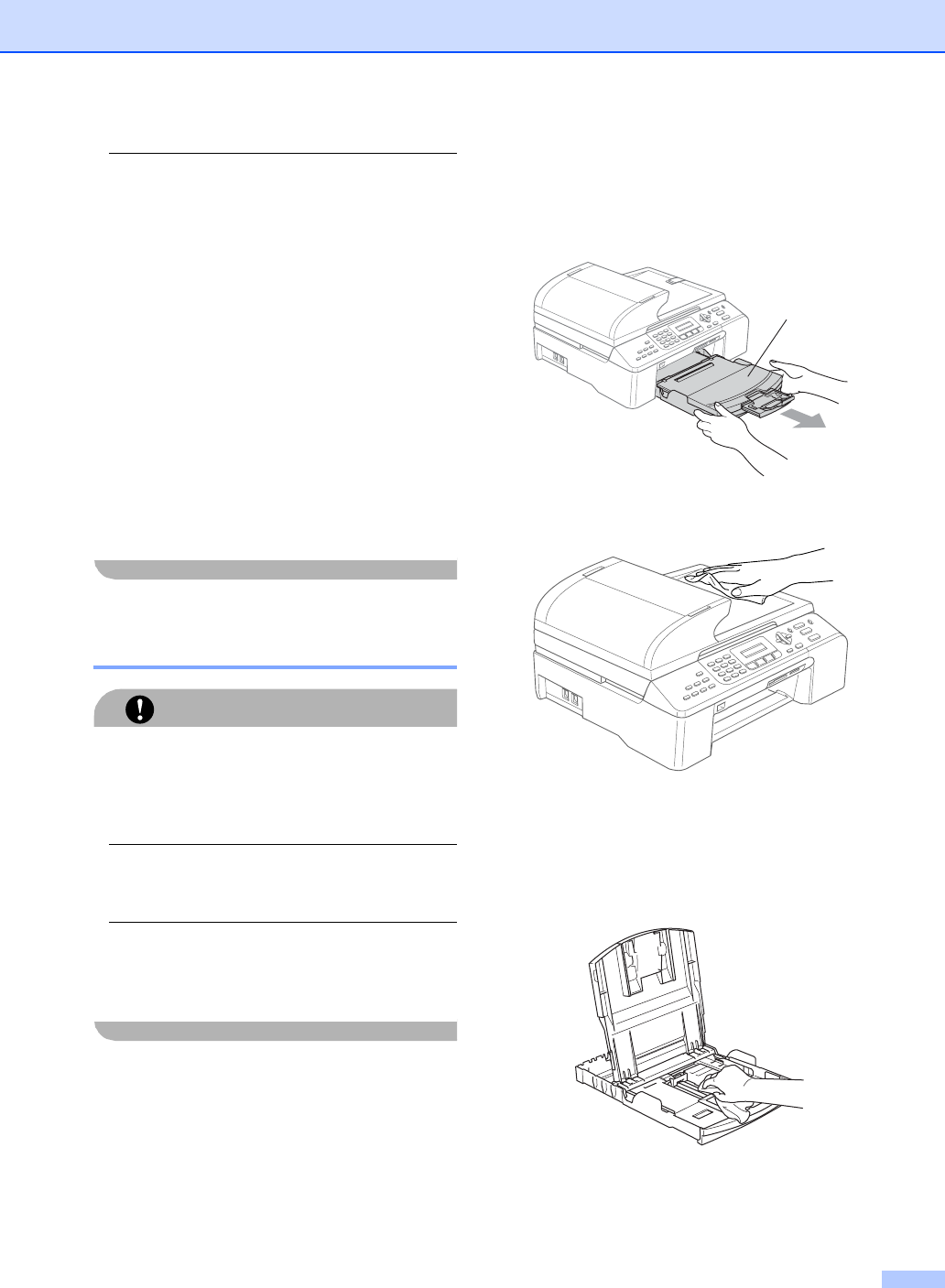
Clean the outside of the machine as
follows:
B
a Pull the paper tray (1) completely out of
the machine.
b Wipe the outside of the machine with a
soft cloth to remove dust.
c Remove anything that is stuck inside the
paper tray.
d Lift the output paper tray cover and wipe
the inside and outside of the paper tray
with a soft cloth to remove dust.
e Close the output paper tray cover and
put the paper tray firmly back in the
machine.
1