
Printer/Fax/Scanner/Copier USER'S GUIDE MFC-5460CN, MFC-5860CN


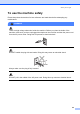

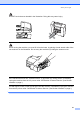
Table Of Contents
- USER’S GUIDE MFC-5460CN MFC-5860CN
- Brother numbers
- Ordering accessories and supplies
- Compilation and Publication Notice
- Table of Contents
- General
- 1 General Information
- 2 Loading documents and paper
- 3 General setup
- 4 Security features
- Fax
- 5 Sending a fax
- Entering Fax mode
- Broadcasting (Black & White only)
- Additional sending operations
- Sending faxes using multiple settings
- Contrast
- Changing Resolution
- Dual access (Black & White only)
- Real time transmission
- Overseas Mode
- Delayed Faxing (Black & White only)
- Delayed Batch Transmission (Black & White only)
- Checking and canceling waiting jobs
- Sending a fax manually
- Sending a fax at the end of a conversation
- Out of Memory message
- 6 Receiving a Fax
- 7 Telephone Services and External devices
- 8 Dialing and storing numbers
- 9 Remote fax options
- 10 Printing Reports
- 11 Polling
- 5 Sending a fax
- Copy
- Walk-up Photo Printing
- Software
- Appendixes
- A Safety and Legal
- Choosing a location
- To use the machine safely
- Important safety instructions
- Standard telephone and FCC Notices (These notices are in effect on models sold and used in the United States only.)
- Federal Communications Commission (FCC) Declaration of Conformity (USA only)
- Industry Canada Compliance Statement (Canada only)
- LAN connection
- Legal limitations for copying
- Trademarks
- B Troubleshooting and Routine Maintenance
- C Menu and Features
- D Specifications
- E Glossary
- F Index
- A Safety and Legal
- brother USA/CAN
92
WARNING
• Use caution when installing or modifying telephone lines. Never touch telephone wires or
terminals that are not insulated unless the telephone line has been unplugged at the wall
jack. Never install telephone wiring during a lightning storm. Never install a telephone wall
jack in a wet location.
• This product must be installed near an AC power outlet that is easily accessible. In case of
an emergency, you must unplug the power cord from the AC power outlet to shut off the
power completely.
• Always make sure the plug is fully inserted.
• To reduce the risk of shock or fire, use only a No. 26 AWG or larger telecommunication line
cord.
CAUTION
Lightning and power surges can damage this product! We recommend that you use a quality
surge protection device on the AC power line and on the telephone line, or unplug the cords
during a lightning storm.
WARNING
IMPORTANT SAFETY INSTRUCTIONS
When using your telephone equipment, basic safety precautions should always be followed to
reduce the risk of fire, electric shock and injury to people, including the following:
1 DO NOT use this product near water, for example, near a bath tub, wash bowl, kitchen sink
or washing machine, in a wet basement or near a swimming pool.
2 Avoid using this product during an electrical storm. There may be a remote risk of electric
shock from lightning.
3 DO NOT use this product to report a gas leak in the vicinity of the leak.
4 Use only the power cord provided with the machine.