
Printer/Fax/Scanner/Copier USER'S GUIDE MFC-5460CN, MFC-5860CN
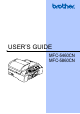
Table Of Contents
- USER’S GUIDE MFC-5460CN MFC-5860CN
- Brother numbers
- Ordering accessories and supplies
- Compilation and Publication Notice
- Table of Contents
- General
- 1 General Information
- 2 Loading documents and paper
- 3 General setup
- 4 Security features
- Fax
- 5 Sending a fax
- Entering Fax mode
- Broadcasting (Black & White only)
- Additional sending operations
- Sending faxes using multiple settings
- Contrast
- Changing Resolution
- Dual access (Black & White only)
- Real time transmission
- Overseas Mode
- Delayed Faxing (Black & White only)
- Delayed Batch Transmission (Black & White only)
- Checking and canceling waiting jobs
- Sending a fax manually
- Sending a fax at the end of a conversation
- Out of Memory message
- 6 Receiving a Fax
- 7 Telephone Services and External devices
- 8 Dialing and storing numbers
- 9 Remote fax options
- 10 Printing Reports
- 11 Polling
- 5 Sending a fax
- Copy
- Walk-up Photo Printing
- Software
- Appendixes
- A Safety and Legal
- Choosing a location
- To use the machine safely
- Important safety instructions
- Standard telephone and FCC Notices (These notices are in effect on models sold and used in the United States only.)
- Federal Communications Commission (FCC) Declaration of Conformity (USA only)
- Industry Canada Compliance Statement (Canada only)
- LAN connection
- Legal limitations for copying
- Trademarks
- B Troubleshooting and Routine Maintenance
- C Menu and Features
- D Specifications
- E Glossary
- F Index
- A Safety and Legal
- brother USA/CAN

viii
Table of Contents
Section I General
1 General Information 2
Using the documentation .......................................................................................2
Symbols and conventions used in the documentation ....................................2
Accessing the Software User’s Guide and Network User’s Guide ........................2
Viewing Documentation...................................................................................3
Accessing Brother Support
(For Windows
®
) ..................................................................................................5
Control panel overview ..........................................................................................6
2 Loading documents and paper 10
Loading documents .............................................................................................10
Using the ADF ...............................................................................................10
Using the scanner glass ................................................................................11
Scannable area .............................................................................................12
Acceptable paper and other media......................................................................12
Recommended media ...................................................................................13
Handling and using media .............................................................................13
Choosing the right media...............................................................................14
Loading paper and other media ..........................................................................16
Loading paper in paper tray#2 (MFC-5860CN only) .....................................18
Loading envelopes and post cards................................................................19
Printable Area................................................................................................21
3 General setup 22
On/Off key............................................................................................................22
Turning the machine off.................................................................................22
Turning the machine on.................................................................................22
On/Off setting ......................................................................................................22
Mode Timer..........................................................................................................23
Paper settings......................................................................................................23
Paper Type ....................................................................................................23
Paper Size .....................................................................................................24
Tray use in Fax mode (MFC-5860CN only)...................................................24
Tray use in Copy mode (MFC-5860CN only) ................................................25
Volume Settings...................................................................................................25
Ring Volume ..................................................................................................25
Beeper Volume..............................................................................................25
Speaker Volume ............................................................................................26
Automatic Daylight Savings Time........................................................................26
LCD display .........................................................................................................26
LCD Contrast.................................................................................................26