Printer/Fax/Scanner/Copier Quick Setup Guide
Manuals
Brands
Brother Manuals
All in One Printer
MFC-490CW
1
2
3
4
5
6
7
8
9
10
3
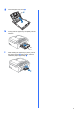
g
Close the
paper tray
cover
a
.
h
Sl
owly
push the pap
er tray completely into t
he
machine.
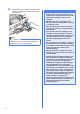
i
While holding the paper tray in place, pull out
the paper support
a
until it clicks, and
then
unfold the
paper suppo
rt flap
b
.
1
1
2
1
2
3
4
5
...
...
47