
User's Guide

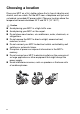
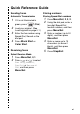
Table Of Contents
- USER'S GUIDE MFC-3420C/MFC-3820CN
- Brother numbers
- Ordering accessories and supplies
- Safety precautions
- Choosing a location
- Quick Reference Guide
- Table of Contents
- 1 Introduction
- 2 Loading originals and paper
- 3 On-screen programming
- 4 Getting started
- 5 Setup Receive
- 6 Setup Send
- 7 Quick-Dial numbers and dialing options
- 8 Remote Fax Options
- 9 Printing reports
- 10 Making copies
- 11 Walk-Up PhotoCapture Center™ (MFC-3820CN only)
- 12 Important information
- Standard telephone and FCC Notices These notices are in effect on models sold and used in the Uni...
- ˘˘Federal Communications Commission (FCC) Declaration of Conformity (USA only)
- Industry Canada Compliance Statement (Canada only)
- LAN connection
- International ENERGY STAR® Compliance Statement
- ˘Important safety instructions
- Trademarks
- 13 Troubleshooting and routine maintenance
- Glossary
- Specifications
- Index
- Remote Retrieval Access card
- brother

xi
Quick Reference Guide
Sending faxes
Automatic Transmission
1
If it is not illuminated in
green, press (
Fax
).
2
Load your original. (See
Load originals
on page 2-1.)
3
Enter the fax number using
Speed-Dial, Search or the
dial pad.
4
Press
Black Start
or
Color Start
.
Receiving faxes
Select Receive Mode
1
Press
Menu/Set
,
0
,
1
.
2
Press or to select
Fax Only
,
Manual
,
Fax/Tel
or
External
TAD
, and then press
Menu/Set
.
Storing numbers
Storing Speed-Dial numbers
1
Press
Menu/Set
,
2
,
3
,
2
.
2
Using the dial pad, enter a
two-digit Speed-Dial
location number, and then
press
Menu/Set
.
3
Enter a number (up to 20
digits), and then press
Menu/Set
.
4
Enter a name up to 15
characters (or leave it
blank), and then press
Menu/Set
.
5
Press
Stop/Exit
.