
Installation Instructions




3
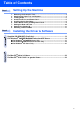
Table of Contents
Setting Up the Machine
1. Removing the Protective Parts ......................................................................... 4
2. Attaching the Paper Tray and Support ............................................................4
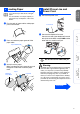
3. Loading Paper .................................................................................................... 5
4. Install Phone Line and Power Cord..................................................................5
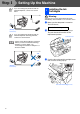
5. Installing the Ink Cartridges..............................................................................6
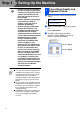
6. Colour Block Quality and Alignment Check....................................................8
7. Setting the Date and Time ...............................................................................10
8. Setting Your Station ID ....................................................................................11
9. Selecting a Receive Mode ...............................................................................11
Installing the Driver & Software
Supplied CD-ROM (MFL-Pro Suite).................................................................... 12
For Windows
®
98/98SE/Me/2000 Professional/XP Users................................. 14
■
For Windows
®
98/98SE/Me Users Only ............................................................ 17
■
For Windows
®
2000 Professional Users Only..................................................19
■
For Windows
®
XP Users Only ...........................................................................21
For Mac OS
®
8.6 to 9.2 Users............................................................................. 22
For Mac OS
®
X 10.1/10.2.1 or greater Users ..................................................... 24
Step 1
Step 2