
Installation Instructions




1
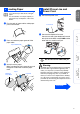
Carton components may differ from one country to another.
Save all packing materials and the carton.
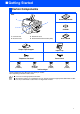
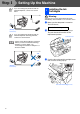
Carton Components
Quick Setup Guide
CD-ROM
User’s Guide
Output Paper Support
Paper Tray
Telephone Line Cord Power Cord
Ink Cartridges
■
You must use the appropriate USB cable.
■
The interface cable is not a standard accessory. Please purchase an appropriate USB interface cable.
■
Use only a USB interface cable that is no longer than 2 meters.
4
1
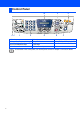
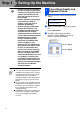
. Control Panel
2
. Scanner Cover
MFC
1
3
2
3
. Document Cover
4
. Automatic Document Feeder (ADF)
Black
(LC800BK)
Yellow
(LC800Y)
Magenta
(LC800M)
Cyan
(LC800C)
■ Getting Started