User Manual
Manuals
Brands
Brother Manuals
All in One Printer
MFC-3340CN
28
29
30
31
32
33
34
35
36
37
Table Of Contents
Quick Setup Guide MFC-3240C/MFC-3340CN
Getting Started
Carton Components
Control Panel
Table of Contents
Step1 Setting Up the Machine
1 Removing the Protective Parts
2 Loading Paper
3 Installing the Phone Line and Power Cord
4 Installing the Ink Cartridges
5 Print Quality Check
6 Setting the Date and Time
7 Setting Your Station ID
8 Selecting a Receive Mode
Step2 Installing the Driver & Software
Supplied CD-ROM “MFL-Pro Suite”
For USB Interface Cable Users (For Windows® 98/98SE/Me/2000 Professional/XP)
For Network Interface Cable Users (MFC-3340CN only) (Windows® 98/98SE/Me/2000 Professional/XP)
For USB Interface Cable Users
For Mac OS® X 10.2.4 or greater
For Mac OS® 8.6 to 9.2
For Network Interface Cable Users (MFC-3340CN only)
For Mac OS® X 10.2.4 or greater
For Mac OS® 8.6 to 9.2
For Network Users
Network User's Guide Chapter Map
Restoring the Network Settings to Factory Default
Installing the BRAdmin Professional Configuration Utility (Windows® only)
Setting your IP Address, Subnet Mask and Gateway using BRAdmin Professional (Windows® only)
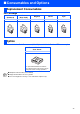
Consumables and Options
Replacement Consumables
Option
brother UK
UK
LF75450
01
1
1
...
...
35
36
37