
User Manual

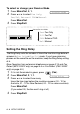

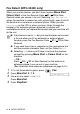
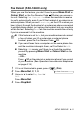
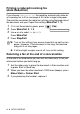
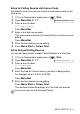
Table Of Contents
- USER’S GUIDE FAX-1840C/MFC-3240C
- APPROVAL INFORMATION
- Compilation and Publication Notice
- Safety precautions
- Choosing a location
- Quick Reference Guide
- Table of Contents
- 1 Introduction
- 2 Getting started
- 3 Setup Send
- How to enter Fax mode
- How to dial
- How to Fax (B&W and Colour)
- Basic sending operations
- Advanced sending operations
- Broadcasting (Not available for colour faxes)
- Overseas Mode
- Delayed Fax (Not available for colour faxes)
- Delayed Batch Transmission (Not available for colour faxes)
- Setup for Polled Transmit (Standard) (Not available for colour faxes)
- Setup for Polled Transmit with Secure Code (Not available for colour faxes)
- TX Lock (Key Lock for some countries)
- 4 Setup Receive
- Basic receiving operations
- Choosing the Receive Mode
- Setting the Ring Delay
- Setting the F/T Ring Time (Fax/Tel mode only)
- Fax Detect (MFC-3240C only)
- Fax Detect (FAX-1840C only)
- Printing a reduced incoming fax (Auto Reduction)
- Receiving a fax at the end of a conversation
- Printing a fax from the memory
- Reception into memory (Not available for colour fax reception)
- Polling
- Basic receiving operations
- 5 Quick-Dial numbers and dialling options
- 6 Remote Fax Options (Not available for colour faxes)
- 7 Printing reports
- 8 Making copies
- 9 Important information
- 10 Troubleshooting and routine maintenance
- Appendix A
- Telephone Service for Australia
- Telephone Service for New Zealand
- Telephone Service for Some Countries
- Advanced receiving operations
- Connecting an external device to your machine
- Appendix B
- Glossary
- Specifications
- Index
- Remote Retrieval Access card
- brother ARL/ASA/NZ

4 - 2 SETUP RECEIVE
To select or change your Receive Mode
1
Press
Menu/Set
,
0
,
1
.
2
Press
▲
or
▼
to select
Fax Only
,
Fax/Tel
,
External TAD
or
Manual
.
Press
Menu/Set
.
3
Press
Stop/Exit
.
Setting the Ring Delay
The Ring Delay sets the number of times the machine rings before it
answers in
Fax Only
or
Fax/Tel
mode. If you have extension
phones on the same line as the machine, keep the Ring Delay setting
of 6.
(See Operation from extension telephones on page A-14 and Fax
Detect (MFC-3240C only) on page 4-4 or Fax Detect (FAX-1840C
only) on page 4-5.)
1
If it is not illuminated in green, press (
Fax
).
2
Press
Menu/Set
,
2
,
1
,
1
.
3
Press
▲
or
▼
to select how many
times the line rings before the machine answers (02 - 10 for
Australia, 01 - 10 for New Zealand, 00 - 10 for some countries).
Press
Menu/Set
.
(If you select 00, the line won’t ring at all.)
4
Press
Stop/Exit
.
1.Receive Mode
Current Receive Mode
Fax
: Fax Only
F/T
: Fax/Tel
TAD
: External TAD
Mnl
: Manual
1.Ring Delay