
User Manual

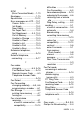
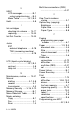
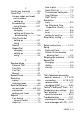
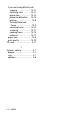
Table Of Contents
- USER’S GUIDE FAX-1840C/MFC-3240C
- APPROVAL INFORMATION
- Compilation and Publication Notice
- Safety precautions
- Choosing a location
- Quick Reference Guide
- Table of Contents
- 1 Introduction
- 2 Getting started
- 3 Setup Send
- How to enter Fax mode
- How to dial
- How to Fax (B&W and Colour)
- Basic sending operations
- Advanced sending operations
- Broadcasting (Not available for colour faxes)
- Overseas Mode
- Delayed Fax (Not available for colour faxes)
- Delayed Batch Transmission (Not available for colour faxes)
- Setup for Polled Transmit (Standard) (Not available for colour faxes)
- Setup for Polled Transmit with Secure Code (Not available for colour faxes)
- TX Lock (Key Lock for some countries)
- 4 Setup Receive
- Basic receiving operations
- Choosing the Receive Mode
- Setting the Ring Delay
- Setting the F/T Ring Time (Fax/Tel mode only)
- Fax Detect (MFC-3240C only)
- Fax Detect (FAX-1840C only)
- Printing a reduced incoming fax (Auto Reduction)
- Receiving a fax at the end of a conversation
- Printing a fax from the memory
- Reception into memory (Not available for colour fax reception)
- Polling
- Basic receiving operations
- 5 Quick-Dial numbers and dialling options
- 6 Remote Fax Options (Not available for colour faxes)
- 7 Printing reports
- 8 Making copies
- 9 Important information
- 10 Troubleshooting and routine maintenance
- Appendix A
- Telephone Service for Australia
- Telephone Service for New Zealand
- Telephone Service for Some Countries
- Advanced receiving operations
- Connecting an external device to your machine
- Appendix B
- Glossary
- Specifications
- Index
- Remote Retrieval Access card
- brother ARL/ASA/NZ
I - 3 INDEX
H
HELP
LCD messages ................B-1
using navigation keys ... B-2
Menu Table .............. B-1, B-3
Hold .................................... 5-8
I
Ink cartridges
checking ink volume .... 10-17
replacing ...................... 10-23
Ink Dot Counter .............. 10-23
J
Jacks
EXT
external telephone ...... A-18
TAD (answering machine)
................................... A-18
L
LCD (liquid crystal display)
................................... B-1, B-2
contrast ............................ 2-8
Help List ........................... 7-3
M
Maintenance, routine ...... 10-21
Manual
dialling ...................... 3-1, 5-8
receive ............................. 4-1
transmission .................... 3-5
Memory Security ..... 3-16, 3-19
Memory Storage .................B-1
Menu Selection Table ......... B-1
Mode, entering
Copy ................................ 8-1
Fax ................................... 3-1
Scan ................................ 1-3
Multi-line connections (PBX)
.........................................A-21
O
One-Touch numbers
storing .............................. 5-1
Options key (copying)
Brightness ........................ 8-9
Paper Size ....................... 8-8
Paper Type ...................... 8-8
P
Paging
programming your pager
number ........................... 6-1
Paper ...........................1-9, S-3
document size .................. 3-4
Size .................................. 2-6
size of document .............. 1-7
Type ................................. 2-6
Phone line
connections ....................A-19
difficulties ..................... 10-10
multi-line (PBX) ..............A-21
set .................................... 2-3
Power failure .......................B-1
Power Save key .................. 1-5
Print
area ................................ 1-13
difficulties ..............10-8, 10-9
drivers ..............................S-6
fax from memory .............. 4-7
improving quality .......... 10-13
paper jams ..................... 10-5
report ................................ 7-3
resolution .........................S-6
specifications ...................S-6
Programming your MFC
................................... B-1, B-2