
User Manual

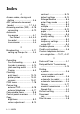
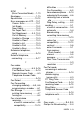
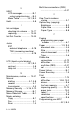
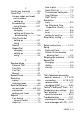
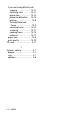
Table Of Contents
- USER’S GUIDE FAX-1840C/MFC-3240C
- APPROVAL INFORMATION
- Compilation and Publication Notice
- Safety precautions
- Choosing a location
- Quick Reference Guide
- Table of Contents
- 1 Introduction
- 2 Getting started
- 3 Setup Send
- How to enter Fax mode
- How to dial
- How to Fax (B&W and Colour)
- Basic sending operations
- Advanced sending operations
- Broadcasting (Not available for colour faxes)
- Overseas Mode
- Delayed Fax (Not available for colour faxes)
- Delayed Batch Transmission (Not available for colour faxes)
- Setup for Polled Transmit (Standard) (Not available for colour faxes)
- Setup for Polled Transmit with Secure Code (Not available for colour faxes)
- TX Lock (Key Lock for some countries)
- 4 Setup Receive
- Basic receiving operations
- Choosing the Receive Mode
- Setting the Ring Delay
- Setting the F/T Ring Time (Fax/Tel mode only)
- Fax Detect (MFC-3240C only)
- Fax Detect (FAX-1840C only)
- Printing a reduced incoming fax (Auto Reduction)
- Receiving a fax at the end of a conversation
- Printing a fax from the memory
- Reception into memory (Not available for colour fax reception)
- Polling
- Basic receiving operations
- 5 Quick-Dial numbers and dialling options
- 6 Remote Fax Options (Not available for colour faxes)
- 7 Printing reports
- 8 Making copies
- 9 Important information
- 10 Troubleshooting and routine maintenance
- Appendix A
- Telephone Service for Australia
- Telephone Service for New Zealand
- Telephone Service for Some Countries
- Advanced receiving operations
- Connecting an external device to your machine
- Appendix B
- Glossary
- Specifications
- Index
- Remote Retrieval Access card
- brother ARL/ASA/NZ
INDEX I - 2
E
ECM
(Error Correction Mode) ...1-19
Envelopes .........................1-13
Equalization ....................10-12
Error messages on LCD ...10-1
Comm. Error ...................10-1
Ink Empty .......................10-2
Near Empty ....................10-2
No Paper Fed .................10-2
Not Registered ........3-2, 10-2
Out of Memory ...............10-3
Unable to Change ..........10-3
Unable to Clean .............10-3
Unable to Init. .................10-3
Unable to Print ...............10-3
Unable to Scan ...............10-3
Extension telephone,
using ...............................A-14
External telephone,
connecting .......................A-17
F
Fax codes
changing ................. 6-3, A-16
Fax Receive Code ..........A-14
Remote Access Code ......6-3
Telephone Answer Code
......................................A-14
Fax Detect ...........................4-4
Fax Forwarding
changing remotely .....6-5, 6-6
programming a number ....6-1
Fax Storage ........................6-2
printing from memory .......4-7
turning on .........................6-2
Fax, stand-alone
receiving ...........................4-1
at end of conversation ...4-6
compatibility ...............10-12
difficulties .....................10-9
Fax Forwarding ..............6-5
from extension phone
... A-14
reducing to fit on paper
...4-6
retrieving from a remote
site ...............................6-6
Ring Delay, setting .........4-2
sending .............................3-1
at end of conversation ...3-5
automatic .......................3-4
Broadcasting ................3-11
cancelling from memory
....................................3-10
colour fax .......................3-4
compatibility ...............10-12
contrast ..........................3-6
enter Fax mode ..............3-1
from memory
(Dual Access) ...............3-8
manual ...........................3-5
overseas ......................3-12
Real Time Transmission
......................................3-9
resolution .......................3-7
Fax/Tel mode
answering at extension
phones ......................... A-14
double-ringing
(voice calls) .....................4-3
F/T Ring Time ...................4-3
Fax Receive Code ......... A-14
receiving faxes ............... A-15
Ring Delay ........................4-2
Telephone Answer Code
...................................... A-14
telephone calls ............... A-15
G
Gray scale ...................S-4, S-5
Groups for Broadcasting .....5-4