
Operation Manual




SETUP SEND 6 - 2
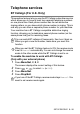
One-Touch dialling
Press the One-Touch Key of the location you want to
call. (See
Storing One-Touch Dial numbers
on page
7-1.)
To dial One-Touch numbers 6 to 10, hold down
Shift
as you press the One-Touch Key.
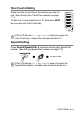
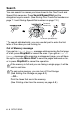
Speed-Dialling
Press
Search/Speed Dial
,
#
, and then the two digit Speed-Dial
number. (See Storing Speed-Dial numbers on page 7-2.)
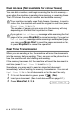
If the LCD shows
Not Registered
when you press the
One-Touch key, number has not been stored on it.
If the LCD shows
Not Registered
when you enter the
Speed-Dial number, a number has not been stored for it.
two-digit number