
User Manual


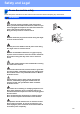




Table Of Contents
- Quick Setup Guide MFC-255CW MFC-295CN
- Start Here
- 1 Unpack the machine and check the components
- 2 Load plain A4 paper
- 3 Connect the power cord and telephone line
- 4 Install the ink cartridges
- 5 Check the print quality
- 6 Choosing your language
- 7 Choose a Receive Mode
- 8 Set the date and time
- 9 Enter personal information (Station ID)
- 10 Set tone or pulse dialling mode
- 11 Set the telephone line type
- 12 Set the phone line compatibility
- 13 Choose your connection type
- For USB interface users (Windows® 2000 Professional/XP/XP Professional x64 Edition/ Windows Vista®)
- For USB interface users (Mac OS X 10.3.9 - 10.4.x - 10.5.x)
- For wired network interface users (MFC-295CN only) (Windows® 2000 Professional/XP/XP Professional x64 Edition/ Windows Vista®)
- For wired network interface users (MFC-295CN only) (Mac OS X 10.3.9 - 10.4.x - 10.5.x)
- For wireless network interface users (MFC-253CW/255CW/257CW only)
- 14 Before you begin
- 15 Confirm your network environment (Infrastructure Mode)
- Connecting the Brother machine to the wireless network
- Install the drivers & software (Windows® 2000 Professional/XP/XP Professional x64 Edition/ Windows Vista®)
- Install the drivers & software (Mac OS X 10.3.9 - 10.4.x - 10.5.x)
- Install Optional Applications Windows®
- For Network Users
- Safety and Legal
- brother CEE-ENG
- Start Here

24
Safety and Legal
Choosing a location
Put your machine on a flat, stable surface that is free of vibration and shocks, such as a desk. Put the machine
near a telephone socket and a standard, grounded electrical socket. Choose a location where the temperature
remains between 10°C and 35°C.
WARNING
• DO NOT put the machine near heaters, air conditioners, refrigerators, medical equipment, chemicals
or water.
• DO NOT connect your machine to electrical sockets on the same circuit as large appliances or other
equipment that might disrupt the power supply.
CAUTION
• Avoid placing your machine in a high-traffic area.
• Avoid placing your machine on a carpet.
• DO NOT expose the machine to direct sunlight, excessive heat, moisture, or dust.
• DO NOT connect your machine to electrical sockets controlled by wall switches or automatic timers.
• Disruption of power can wipe out information in the machine's memory.
• Avoid interference sources, such as other cordless telephone systems or speakers.
• DO NOT tip the machine, or place it on any tilted surface. Doing this may cause ink spillage and internal
damage to your machine.