
Operation Manual




122
4.
PhotoCapture
1.Print
Quality
— Normal
Photo*
Choose the print quality. 66
2.Paper Type — Plain Paper
Inkjet Paper
Brother BP71
Other Glossy*
Choose the paper and
paper type.
66
3.Paper Size — 10x15cm*
13x18cm
Letter
A4
Choose the paper size. 66
4.Print Size — 8 x 10cm
9 x 13cm
10x15cm
13x18cm
15x20cm
Max. Size*
Choose the print size.
(Appears when A4 or
Letter is chosen in the
Paper Size menu.)
67
5.Brightness — -nnnno+
-nnnon+
-nnonn+*
-nonnn+
-onnnn+
Adjusts the brightness. 67
6.Contrast — -nnnno+
-nnnon+
-nnonn+*
-nonnn+
-onnnn+
Adjusts the contrast. 67
7.Cropping — On*
Off
Crops the image around
the margin to fit the paper
size or print size. Turn this
feature off if you want to
print whole images or
prevent unwanted
cropping.
67
8.Borderless — On*
Off
Expands the printable
area to fit the edges of the
paper.
67
9.Date Print — On
Off
*
Prints the date on your
photo.
68
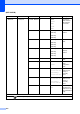
Main Menu Submenu Menu Selections Options Descriptions Page
The factory settings are shown in Bold with an asterisk.