
Software User's Guide
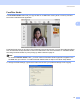

Table Of Contents
- SOFTWARE USER’S GUIDE
- Table of Contents
- Windows®
- 1 Printing
- Using the Brother printer driver
- Features
- Choosing the right type of paper
- Simultaneous printing, scanning and faxing
- Clearing data from the memory
- Status Monitor
- Printer driver settings
- Accessing the printer driver settings
- Basic tab
- Advanced tab
- Support tab
- Using FaceFilter Studio for photo printing by REALLUSION
- 2 Scanning
- Scanning a document using the TWAIN driver
- Scanning a document using the WIA driver (For Windows® XP/Windows Vista™)
- Scanning a document using the WIA driver (For Windows Vista™ Photo Gallery and Windows Fax and Scan users)
- Using the Scan key (For USB cable users)
- Using ScanSoft™ PaperPort™ 11SE with OCR by NUANCE™
- 3 ControlCenter3
- 4 Network Scanning (For models with built-in network support)
- 5 Remote Setup (Not available for DCP models and MFC-230C)
- 6 Brother PC-FAX Software (MFC models only)
- 7 PhotoCapture Center®
- 8 Firewall settings (For Network users)
- 1 Printing
- Apple® Macintosh®
- 9 Printing and Faxing
- 10 Scanning
- 11 ControlCenter2
- 12 Network Scanning (For models with built-in network support)
- 13 Remote Setup & PhotoCapture Center®
- Index
- brother USA

ControlCenter3
70
3
FaceFilter Studio 3
The FaceFilter Studio button lets you copy the files on a USB Flash memory drive or memory card and
launch the FaceFilter Studio application.
FaceFilter Studio gives you an easy-to-use borderless photo printing function. You can also add photo effects
such as automatic red eye reduction or skin tone enhancement. For more information on FaceFilter Studio,
see Using FaceFilter Studio for photo printing by REALLUSION on page 21.
Note
To use the FaceFilter Studio button, you must install the FaceFilter Studio application supplied on the
CD-ROM with your machine. To install FaceFilter Studio follow the steps in the Quick Setup Guide.
To change the folder settings, right-click the button and choose your preferred settings for file copying.