
Software User's Guide
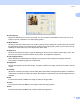
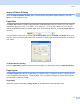
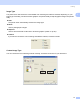
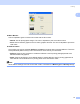
Table Of Contents
- SOFTWARE USER’S GUIDE
- Table of Contents
- Windows®
- 1 Printing
- Using the Brother printer driver
- Features
- Choosing the right type of paper
- Simultaneous printing, scanning and faxing
- Clearing data from the memory
- Status Monitor
- Printer driver settings
- Accessing the printer driver settings
- Basic tab
- Advanced tab
- Support tab
- Using FaceFilter Studio for photo printing by REALLUSION
- 2 Scanning
- Scanning a document using the TWAIN driver
- Scanning a document using the WIA driver (For Windows® XP/Windows Vista™)
- Scanning a document using the WIA driver (For Windows Vista™ Photo Gallery and Windows Fax and Scan users)
- Using the Scan key (For USB cable users)
- Using ScanSoft™ PaperPort™ 11SE with OCR by NUANCE™
- 3 ControlCenter3
- 4 Network Scanning (For models with built-in network support)
- 5 Remote Setup (Not available for DCP models and MFC-230C)
- 6 Brother PC-FAX Software (MFC models only)
- 7 PhotoCapture Center®
- 8 Firewall settings (For Network users)
- 1 Printing
- Apple® Macintosh®
- 9 Printing and Faxing
- 10 Scanning
- 11 ControlCenter2
- 12 Network Scanning (For models with built-in network support)
- 13 Remote Setup & PhotoCapture Center®
- Index
- brother USA

Printing
14
1
Match Monitor
Color is adjusted to get the closest color match with the PC monitor.
• Natural: Use for photographic images. The color is adjusted to print more natural colors.
• Vivid: Use for business graphics such as charts, graphics and text. The color is adjusted to print more
vivid colors.
Halftone Pattern
The machine can use two methods (Diffusion or Dither) to arrange dots to express halftones. There are
some predefined patterns and you can choose which one to use for your document.
• Diffusion: Dots are put at random to create the halftones. Use for printing photographs that have
delicate shades and graphics.
• Dither: Dots are arranged in a pre-defined pattern to make halftones. Use for printing graphics that
have definite color boundaries or for printing charts such as business charts.
Note
Some halftone settings cannot be chosen with certain combinations of Media Type and Quality settings.