
Software User's Guide
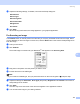
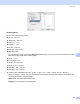
Table Of Contents
- SOFTWARE USER’S GUIDE
- Table of Contents
- Windows®
- 1 Printing
- Using the Brother printer driver
- Features
- Choosing the right type of paper
- Simultaneous printing, scanning and faxing
- Clearing data from the memory
- Status Monitor
- Printer driver settings
- Accessing the printer driver settings
- Basic tab
- Advanced tab
- Support tab
- Using FaceFilter Studio for photo printing by REALLUSION
- 2 Scanning
- Scanning a document using the TWAIN driver
- Scanning a document using the WIA driver (For Windows® XP/Windows Vista™)
- Scanning a document using the WIA driver (For Windows Vista™ Photo Gallery and Windows Fax and Scan users)
- Using the Scan key (For USB cable users)
- Using ScanSoft™ PaperPort™ 11SE with OCR by NUANCE™
- 3 ControlCenter3
- 4 Network Scanning (For models with built-in network support)
- 5 Remote Setup (Not available for DCP models and MFC-230C)
- 6 Brother PC-FAX Software (MFC models only)
- 7 PhotoCapture Center®
- 8 Firewall settings (For Network users)
- 1 Printing
- Apple® Macintosh®
- 9 Printing and Faxing
- 10 Scanning
- 11 ControlCenter2
- 12 Network Scanning (For models with built-in network support)
- 13 Remote Setup & PhotoCapture Center®
- Index
- brother USA

Scanning
124
10
Scanning Area 10
Choose one of the following sizes:
A4 210 × 297 mm
JIS B5 182 × 257 mm
Letter 8.5 × 11 in.
Legal 8.5 × 14 in.
A5 148 × 210 mm
Executive 7.25 × 10.5 in.
Business Card
To scan business cards, choose the Business Card size (90 × 60 mm), and then put the business card
face down at the center of the scanner glass.
Photo 4 × 6in.
Index Card 5 × 8in.
Photo L 89 × 127 mm
Photo 2L 127 × 178 mm
Postcard 1 100 × 148 mm
Postcard 2 148 × 200 mm
Custom (User adjustable from 0.35 × 0.35 in. to 8.5 × 14 in. or 8.9 × 8.9 mm to 215 × 355 mm.)
After you choose a custom size, you can adjust the scanning area. Click and hold the mouse button as
you drag the mouse to crop the image.
Width: Enter the width of the custom size.
Height: Enter the height of the custom size.