
User`s guide



3 - 18 SETUP SEND
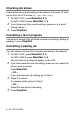
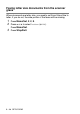
Faxing letter size documents from the scanner
glass
When documents are letter size, you need to set Scan Glass Size to
letter, if you do not, the side portion of the faxes will be missing.
1
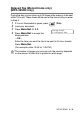
Press Menu/Set, 2, 2, 0.
2
Press ▲ or ▼ to select Letter (or A4).
Press
Menu/Set.
3
Press Stop/Exit.