
User`s guide



SETUP SEND 3 - 17
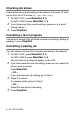
Changing the TX Lock password
1
Press Menu/Set, 2, 0, 1.
2
Press ▲ or ▼ to select Set Password.
Press
Menu/Set.
3
Enter a 4-digit number for the current password.
Press
Menu/Set.
4
Enter a 4-digit number for a new password.
Press
Menu/Set.
5
If the LCD shows Verify:, re-enter the password.
Press
Menu/Set.
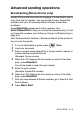
Turning TX Lock on
1
Press Menu/Set, 2, 0, 1.
2
Press ▲ or ▼ to select Set TX Lock.
Press
Menu/Set.
3
Enter the registered 4-digit password.
Press
Menu/Set.
The machine goes offline and the LCD shows TX Lock Mode.
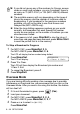
Turning TX Lock off
1
Press Menu/Set.
2
Enter the registered 4-digit password.
Press
Menu/Set.
TX lock is automatically turned off.
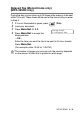
If you enter the wrong Password, the LCD shows Wrong
Password and stays offline. The machine will stay in TX Lock
Mode until the registered password is entered.