
User`s guide



3 - 16 SETUP SEND
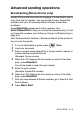
TX Lock
TX Lock lets you prevent unauthorized access to the machine.
While TX Lock is On the following operations are available:
■ Receiving faxes
■ Fax Forwarding (If Fax Forwarding was already On)
(MFC-425CN only)
■ Remote Retrieval (If Fax Storage was already On)
(MFC-425CN only)
While TX Lock is On the following operations are NOT available:
■ Sending faxes
■ Copy
■ PC printing
■ Scanning
■ PhotoCapture
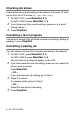
Setting up the password
1
Press Menu/Set, 2, 0, 1.
2
Enter a 4-digit number for the password.
Press
Menu/Set.
3
If the LCD shows Verify:, re-enter the password.
Press
Menu/Set.
(MFC-425CN only)
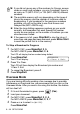
You will not be able to continue to schedule Delayed Faxes or
Polling jobs. However, any pre-scheduled Delayed Faxes will be
sent when you turn TX Lock On, so they won’t be lost.
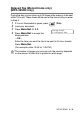
If you have selected Fax Forwarding or Fax Storage
(
Menu/Set, 2, 5) before you turn TX Lock On, then Fax
Forwarding and Remote Retrieval will continue to work.
If you forget the TX Lock password, please contact your Brother
dealer or Brother for assistance.