
User`s guide

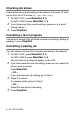
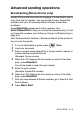
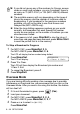
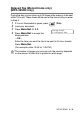


SETUP SEND 3 - 15
Setup for Polled Transmit with Secure Code
(Monochrome only) (MFC-425CN only)
When you choose Polled TX:Secure, anyone who polls the
machine must enter the polling secure code.
1
If it is not illuminated in green, press (Fax).
2
Load your document.
3
Press Menu/Set, 2, 2, 6.
4
Press ▲ or ▼ to select Secure.
Press
Menu/Set.
5
Enter a four-digit number.
Press
Menu/Set.
The document will be stored and can be retrieved from any other
fax machine until you delete the fax in memory by using the
Cancelling a job menu setting. (See Cancelling a waiting job on
page 3-10.)
You can use Secure Polling only with another Brother fax
machine.