
User`s guide



TROUBLESHOOTING AND ROUTINE MAINTENANCE 12 - 14
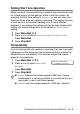
Setting Dial Tone detection
When you send a fax automatically, by default your machine will wait
for a fixed amount of time before it starts to dial the number. By
changing the Dial Tone setting to Detection you can make your
machine dial as soon as it detects a dial tone. This setting can save
a small amount of time when sending a fax to many different
numbers. If you change the setting and start having problems with
dialling you should change back to the default No Detection
setting.
1
Press Menu/Set, 0, 5.
2
Press ▲ or ▼ to select Detection (or No Detection).
Press
Menu/Set.
3
Press Stop/Exit.
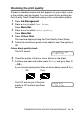
Compatibility
If you are having difficulty sending or receiving a fax due to possible
interference on the phone line, we recommend that you adjust the
Equalization for compatibility. The machine adjusts the modem
speed for fax operations.
1
Press Menu/Set, 2, 0, 2.
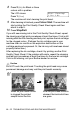
2
Press ▲ or ▼ to select Basic (or
Normal).
Press
Menu/Set.
3
Press Stop/Exit.
■ Basic reduces the modem speed to 9600 bps. Unless
interference is a recurring problem on your phone line, you
may prefer to use it only when needed.
■ Normal sets the modem speed at 14400 bps. (Default)
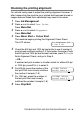
Miscellaneous
2.Compatibility