
User Manual



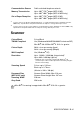

Table Of Contents
- USER’S GUIDE MFC-210C/MFC-410CN
- APPROVAL INFORMATION
- Compilation and Publication Notice
- Safety precautions
- Choosing a location
- Quick Reference Guide
- Table of Contents
- 1 Introduction
- 2 Getting started
- 3 Setup Send
- How to enter Fax mode
- How to dial
- How to Fax (B&W and Colour)
- Basic sending operations
- Advanced sending operations
- Broadcasting (Not available for colour faxes)
- Overseas Mode
- Delayed Fax (Not available for colour faxes) (MFC-410CN only)
- Delayed Batch Transmission (Not available for colour faxes) (MFC-410CN only)
- Setup for Polled Transmit (Standard) (Not available for colour faxes) (MFC-410CN only)
- Setup for Polled Transmit with Secure Code (Not available for colour faxes) (MFC-410CN only)
- TX Lock (Key Lock for some countries)
- Faxing letter size documents from the scanner glass
- 4 Setup Receive
- Basic receiving operations
- 5 Quick-Dial numbers and dialling options
- 6 Remote Fax Options (MFC-410CN only) (Not available for colour faxes)
- 7 Printing reports
- 8 Making copies
- 9 Walk-Up PhotoCapture Center™
- 10 Important information
- 11 Troubleshooting and routine maintenance
- Appendix A
- Telephone Service for Australia
- Telephone Service for New Zealand
- Telephone Service for Some Countries
- Advanced receiving operations
- Connecting an external device to your MFC
- Appendix B
- Glossary
- Specifications
- Index
- Remote Retrieval Access card (MFC-410CN only)
- brother ARL/ASA/NZ
SPECIFICATIONS S - 2
Print media
Weight 5 kg
Noise Operating: 42.5 to 51 dB*
* It depends on printing conditions
Temperature Operating:
Best Print
Quality:
10 - 35°C
20 - 33°C
Humidity Operating:
Best Print
Quality:
20 to 80% (without condensation)
20 to 80% (without condensation)
Paper Input Paper Tray
■
Paper type:
Plain paper, inkjet paper (coated paper), glossy
paper*
2
, transparencies*
1
*
2
and envelopes
■
Paper size:
Letter, Legal*
3
, Executive, A4, A5, A6, JIS_B5,
envelopes (commercial No.10, DL, C5,
Monarch, JE4), Photo card, Index card and
Post card.
For more details, see
Paper weight, thickness
and capacity
on page 1-10.
■
Maximum paper tray capacity: Approx. 100
sheets of 80 gsm plain paper
Paper Output Up to 25 sheets of A4 plain paper (Face up print
delivery to the output paper tray)*
2
*
1
Use only transparencies recommended for inkjet printing.
*
2
For glossy paper or transparencies, we recommend removing
printed pages from the output paper tray immediately after they
exit the machine to avoid smudging.
*
3
Legal paper cannot be stacked on the output paper tray.