
User Manual
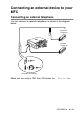

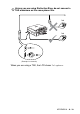


Table Of Contents
- USER’S GUIDE MFC-210C/MFC-410CN
- APPROVAL INFORMATION
- Compilation and Publication Notice
- Safety precautions
- Choosing a location
- Quick Reference Guide
- Table of Contents
- 1 Introduction
- 2 Getting started
- 3 Setup Send
- How to enter Fax mode
- How to dial
- How to Fax (B&W and Colour)
- Basic sending operations
- Advanced sending operations
- Broadcasting (Not available for colour faxes)
- Overseas Mode
- Delayed Fax (Not available for colour faxes) (MFC-410CN only)
- Delayed Batch Transmission (Not available for colour faxes) (MFC-410CN only)
- Setup for Polled Transmit (Standard) (Not available for colour faxes) (MFC-410CN only)
- Setup for Polled Transmit with Secure Code (Not available for colour faxes) (MFC-410CN only)
- TX Lock (Key Lock for some countries)
- Faxing letter size documents from the scanner glass
- 4 Setup Receive
- Basic receiving operations
- 5 Quick-Dial numbers and dialling options
- 6 Remote Fax Options (MFC-410CN only) (Not available for colour faxes)
- 7 Printing reports
- 8 Making copies
- 9 Walk-Up PhotoCapture Center™
- 10 Important information
- 11 Troubleshooting and routine maintenance
- Appendix A
- Telephone Service for Australia
- Telephone Service for New Zealand
- Telephone Service for Some Countries
- Advanced receiving operations
- Connecting an external device to your MFC
- Appendix B
- Glossary
- Specifications
- Index
- Remote Retrieval Access card (MFC-410CN only)
- brother ARL/ASA/NZ

A - 15 APPENDIX A
Using a cordless external handset
If the base unit of your cordless telephone is connected (see page
A-16) and you typically carry the cordless handset elsewhere, it is
easier to answer calls during the Ring Delay. If you let the MFC
answer first, you will have to go to the MFC so you can press
Hook
to transfer the call to the cordless handset.
Changing the remote codes
Remote Codes might not work with some telephone systems. The
preset Fax Receive Code is
51
(
91
for New Zealand). The
preset Telephone Answer Code is
#51
(
#91
for New Zealand).
1
If it is not illuminated in green, press (
Fax
).
2
Press
Menu/Set
,
2
,
1
,
4
.
3
Press
▲
or
▼
to select
On
(or
Off
).
Press
Menu/Set
.
4
Enter the new Fax Receive Code.
Press
Menu/Set
.
5
Enter the new Telephone Answer Code.
Press
Menu/Set
.
6
Press
Stop/Exit
.
If you are always disconnected when accessing your external
TAD remotely, try changing the Fax Receive Code and
Telephone Answer Code to another three-digit code (such as
###
and
999
).