
Quick Start Manual
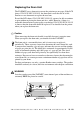

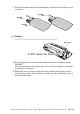
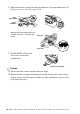


Table Of Contents
- YL4MFC_US.PDF
- Front Cover
- Inside Front Cover
- Brother Numbers
- Ordering Accessories and Supplies
- Quick Reference Guide
- How to Access the Complete Owner's Manual (For MFC-4800 Only)
- How to Access Brother Support (For MFC-4800 Only) (For Windows® Only)
- Download the Printer Driver from the Brother Web Site (For FAX-2900 and FAX-3800 Only)
- Table of Contents
- 1.Introduction
- 2.Assembly and Connections
- Packing List
- Choosing a Location
- Assembly
- Installing the Drum Unit Assembly (with Toner Cartridge)
- Setting Up the FAX/MFC
- Loading Paper
- Acceptable Paper
- Paper Capacity of Multi-purpose Sheet Feeder
- Connecting an External Telephone
- Connecting an External Telephone Answering Device (TAD)
- Special Line Considerations
- Multi-Line Connections (PBX)
- Custom Features on Your Phone Line
- 3.On-Screen Programming
- 4.Initial Setup
- Getting Started
- Setting the Paper Size
- Setting the Date and Time
- Setting the Station ID
- Setting the Ring Volume
- Setting the Beeper Volume
- Setting the Speaker Volume
- Setting the Handset Volume
- Choosing the Handset Volume (For Volume Amplify)
- Setting Volume Amplify
- Memory Storage
- Turning On Automatic Daylight Savings Time
- Toner Save
- Sleep Mode
- Setting Tone/Pulse Dialing Mode (For Canada Only)
- Getting Started
- 5.Setup Receive
- 6.Setup Send
- 7.Auto Dial Numbers and Dialing Options
- 8.Telephone Services
- 9.Remote Fax Options
- 10.Printing Reports
- 11.Making Copies
- 12.Important Information
- 13.Troubleshooting and Routine Maintenance
- Glossary
- Specifications
- Index
- Remote Retrieval Access Card
- Rear Cover
TROUBLESHOOTING AND ROUTINE MAINTENANCE
13 - 23
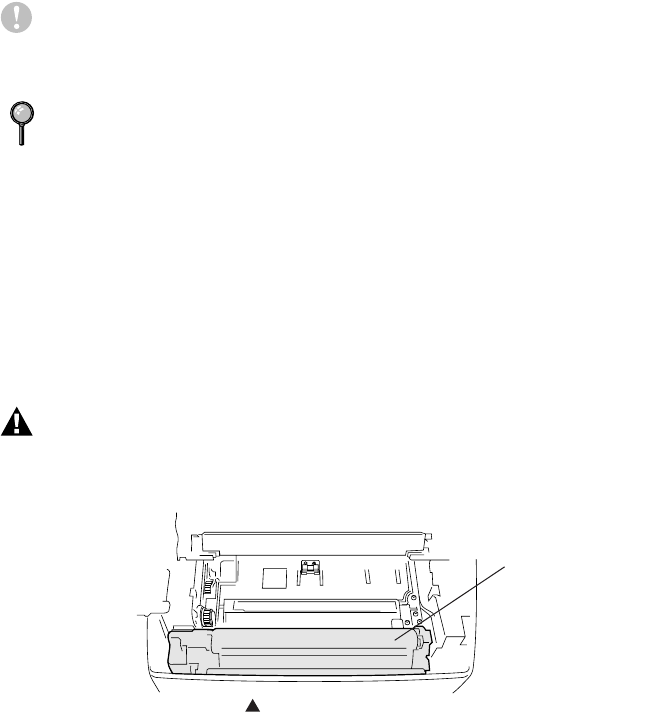
Replacing the Drum Unit
The FAX/MFC uses a drum unit to create the print images on paper. If the LCD
shows CHANGE DRUM SOON, the drum unit is near the end of its life.
Purchase a new drum unit to replace the used one.
Even if the LCD shows CHANGE DRUM SOON, you may be able to continue
to print without replacing the drum unit for a while. However, if there is a
noticeable deterioration in print quality even before CHANGE DRUM SOON
is shown, then the drum unit should be replaced. You should clean the printer
when you replace the drum unit.
Caution
When removing the drum unit, handle it carefully because it contains toner.
When you replace the drum unit, you should clean the FAX/MFC.
For best performance, use only a genuine Brother toner cartridge. The product
should be used only in a clean, dust-free environment with adequate ventilation.
WARNING
Just after you have used the FAX/MFC, some internal parts of the machine are
extremely HOT! So please be careful.
The drum unit is a consumable item, and it is necessary to replace it
periodically. There are many factors that determine the actual drum life, such
as temperature, humidity, type of paper and toner that you use and the number
of pages per print job, etc. The drum life is estimated at approximately 20,000
pages at continuous printing and 8,000 pages at 1 page per job. The actual
number of pages your drum will print may be significantly less than these
estimates. Because we have no control over the many factors that determine the
actual drum life, we cannot guarantee a minimum number of pages that will be
printed by your drum.
HOT!
Inside the Machine