
Printer/Fax/Scanner/Copier Quick Setup Guide FAX-1820C, FAX-1920CN


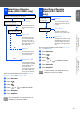


Table Of Contents
- Quick Setup Guide
- Getting Started
- Table of Contents
- Setting Up the Machine
- 1 Removing the Protective Parts
- 2 Install Handset
- 3 Attaching the Paper Tray and Supports
- 4 Loading Paper
- 5 Install Phone Line and Power Cord
- 6 Installing the Ink Cartridges
- 7 Color Block Quality and Alignment Check
- 8 Setting the Date and Time
- 9 Setting Your Station ID
- 10 Selecting a Receive Mode (FAX-1820C only)
- 11 Selecting a Receive Mode (FAX-1920CN only)
- 12 Setting Up the Message Center (FAX-1920CN only)
- 13 Selecting Your Language (Canada Only)
- 14 Sending in the Product Registration and Test Sheet (USA Only)
- 15 Using the FAX as a Printer or for PC-FAX Send
- 16 Using the Network features of the FAX-1920CN

15
1
Fill out the Product Registration and Test Sheet.
2
Place the sheet face down in the Automatic
Document Feeder.
3
Enter the toll-free fax number: 1-877-268-9575.
4
Press Black Start.
You can download the Brother Printer Driver and
PC-FAX Send driver from the Brother Solutions
Center for use with FAX-1820C and FAX-1920CN.
Visit us at:
When connected to a network the FAX-1920CN
supports network printing, PC-FAX Send and Internet
FAX. For details on how to configure and use these
network features, visit us at:
14
Sending in the Product
Registration and Test
Sheet (USA Only)
Make sure (Fax) is illuminated in Green.
You will receive a confirmation fax of your
Product Registration.
You can also register your product online, go
to www.registermybrother.com
15
Using the FAX as a
Printer or for PC-FAX
Send
■
Please download the Printer Driver first
before connecting the machine to your
computer with the USB cable.
■
You must use the appropriate USB cable.
If you don’t have it, please purchase a
USB cable that is no longer than 6 feet
long (2 meters).
16
Using the Network
features of the
FAX-1920CN
■
If you use the FAX-1920CN as a network
printer, you can download the driver and
Network User’s Guide at:
http://solutions.brother.com
■
If you use the FAX-1920CN for Network
PC-FAX Send, you can download the
driver at:
http://solutions.brother.com
http://solutions.brother.com
http://solutions.brother.com
Setting Up
the Machine
Using the FAX as a Printer or
for PC-FAX Send
Using the Network features of
the FAX-1920CN