
Printer/Fax/Scanner/Copier Quick Setup Guide FAX-1820C, FAX-1920CN


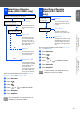
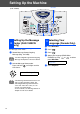


Table Of Contents
- Quick Setup Guide
- Getting Started
- Table of Contents
- Setting Up the Machine
- 1 Removing the Protective Parts
- 2 Install Handset
- 3 Attaching the Paper Tray and Supports
- 4 Loading Paper
- 5 Install Phone Line and Power Cord
- 6 Installing the Ink Cartridges
- 7 Color Block Quality and Alignment Check
- 8 Setting the Date and Time
- 9 Setting Your Station ID
- 10 Selecting a Receive Mode (FAX-1820C only)
- 11 Selecting a Receive Mode (FAX-1920CN only)
- 12 Setting Up the Message Center (FAX-1920CN only)
- 13 Selecting Your Language (Canada Only)
- 14 Sending in the Product Registration and Test Sheet (USA Only)
- 15 Using the FAX as a Printer or for PC-FAX Send
- 16 Using the Network features of the FAX-1920CN

12
Setting Up the Machine
You should store your name and fax number to be
printed on all fax pages that you send.
1
Press Menu/Set.
2
Press .
3
Press .
4
Enter your fax number (up to 20 digits) on
the dial pad, and then press Menu/Set.
5
Use the dial pad to enter your name (up to
20 characters), and then press Menu/Set.
6
Press Stop/Exit.
Menu/Set
Stop/ExitDial pad
(FAX-1920CN)
9 Setting Your Station ID
Fax:_
Name:_
■
Refer to the following chart for entering
your name.
■
If you need to enter a character that is on
the same key as the previous character,
press to move the cursor to the right.
Press
key
One
time
Two
times
Three
times
Four
times
2 ABC2
3 DEF 3
4 GH I 4
5 JKL5
6 MNO 6
7 PQRS
8 TUV8
9 WX Y Z
For more details, see “Setting the Station
ID” in Chapter 4 of the User's Guide.
If you want to repeat from step1, press
Stop/Exit.