
Operation Manual


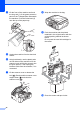

Table Of Contents
- ADVANCED USER’S GUIDE DCP-J515W DCP-J715W
- User's Guides and where do I find it?
- Table of Contents
- 1 General setup
- 2 Printing reports
- 3 Making copies
- Copy settings
- Stop copying
- Changing copy speed and quality
- Enlarging or reducing the copied image
- Making N in 1 copies or a poster (Page Layout)
- Sorting copies using the ADF (DCP-J715W only)
- Adjusting Density
- Ink Save Mode
- Book Copy
- Watermark Copy
- Setting your changes as a new default
- Restoring all settings to the factory settings
- Copy settings
- 4 Printing photos from a memory card or USB Flash memory drive
- 5 Printing photos from a camera (DCP-J715W only)
- A Routine maintenance
- B Glossary
- Index
- brother UK/IRE/GEN
32
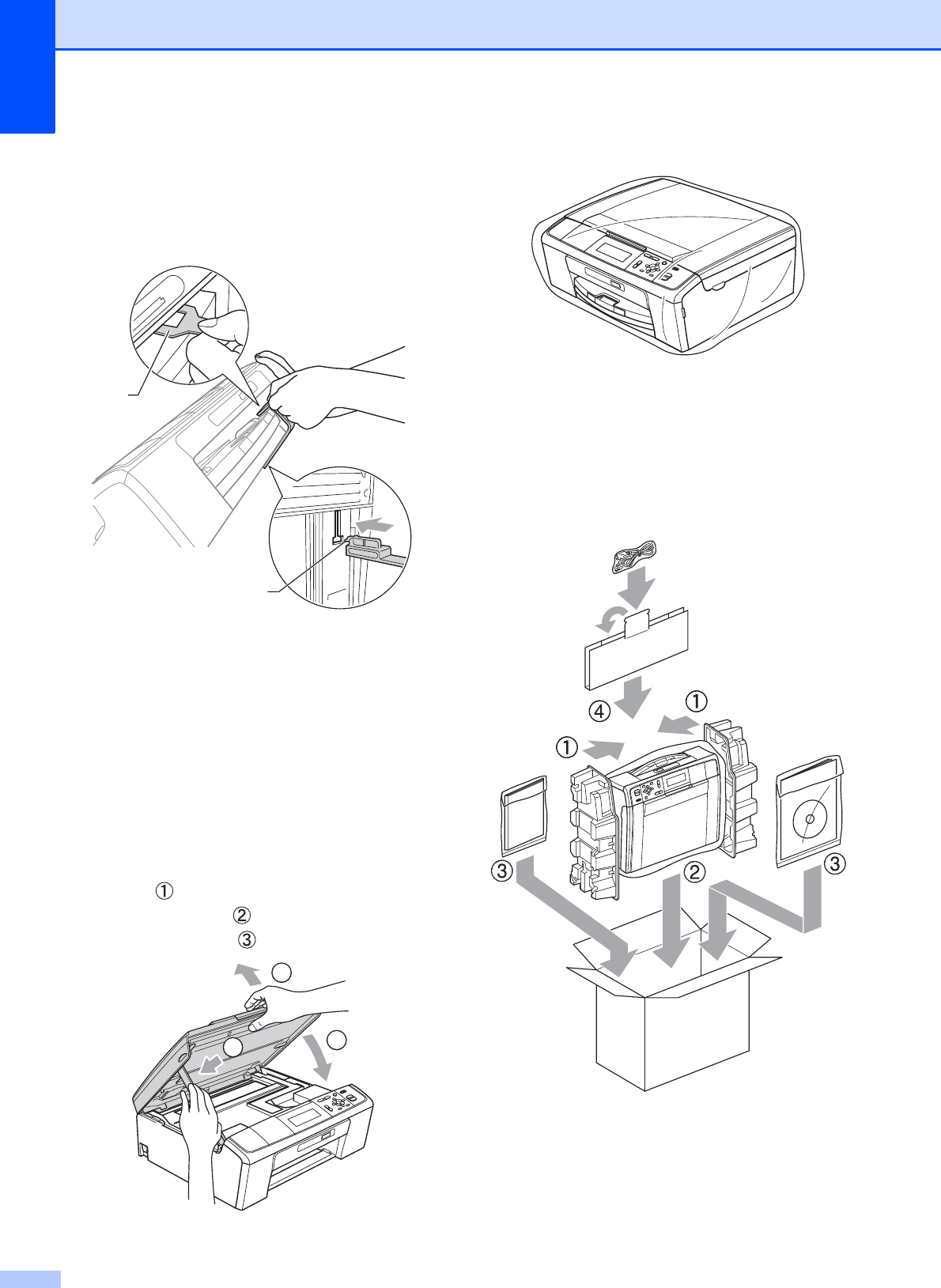
d Lift the front of the machine and hook
the long end (1) of the green protective
part into the T-shaped hole underneath
the machine. Push the forked end (2)
onto the top of the paper tray.
e Unplug the machine from the electrical
socket.
f Using both hands, use the plastic tabs
on both sides of the machine to lift the
scanner cover until it locks securely into
the open position. Then unplug the
interface cable from the machine, if it is
connected.
g Lift the scanner cover to release the
lock ( ). Gently push the scanner cover
support down ( ) and close the
scanner cover ( ).
h Wrap the machine in the bag.
i Pack the machine and the printed
materials in the original carton with the
original packing material as shown
below.
Do not pack the used ink cartridges in
the carton.
j Close the carton and tape it shut.
1
2
1
2
3