
User Manual


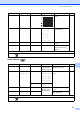


Table Of Contents
- BASIC USER’S GUIDE DCP-J125 DCP-J315W
- User's Guides and where do I find it?
- Table of Contents
- 1 General information
- 2 Loading paper
- 3 Loading documents
- 4 Making copies
- 5 Printing photos from a memory card
- 6 How to print from a computer
- 7 How to scan to a computer
- A Routine maintenance
- B Troubleshooting
- C Menu and features
- D Specifications
- Index
- brother ARL/ASA/NZ/SAF

Menu and features
55
C
Photo Capture ( ) C
Density ——
Adjusts the density of
copies.
See
1
.
Page Layou t ——Off(1in1)*
2 in 1 (P)
2 in 1 (L)
4 in 1 (P)
4 in 1 (L)
Poster (3x3)
You can make N in 1 or
Poster copies.
Set New Default
— — — You can save your copy
settings.
Factory Re set — — — You can restore all
settings to the factory
settings.
Level1 Level2 Level3 Options Descriptions Page
View Photo (s) — — See the print
settings in the
following table.
You can preview your
photos on the LCD.
26
Print Inde x 6 IMGs/ Line *
5 IMGs/ Line
Paper Typ e Plain Paper*
Inkjet Paper
Brother BP71
Brother BP61
Other Glossy
You can print a thumbnail
page.
See
1
.
Paper Siz e A4*
Letter
Print Phot os — — See the print
settings in the
following table.
You can print an individual
image.
Print All Photos
— — You can print all photos in
your media card.
1
See Advanced User’s Guide.
The factory settings are shown in Bold with an asterisk.
Level1 Level2 Level3 Options Descriptions Page
1
See Advanced User’s Guide.
The factory settings are shown in Bold with an asterisk.
Light
Dark