
User Manual
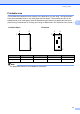


Table Of Contents
- BASIC USER’S GUIDE DCP-J125 DCP-J315W
- User's Guides and where do I find it?
- Table of Contents
- 1 General information
- 2 Loading paper
- 3 Loading documents
- 4 Making copies
- 5 Printing photos from a memory card
- 6 How to print from a computer
- 7 How to scan to a computer
- A Routine maintenance
- B Troubleshooting
- C Menu and features
- D Specifications
- Index
- brother ARL/ASA/NZ/SAF

Loading paper
13
2
Printable area 2
The printable area depends on the settings in the application you are using. The figures below
show the unprintable areas on cut sheet paper and envelopes. The machine can print in the
shaded areas of cut sheet paper when the Borderless print feature is available and turned on.
(See Printing for Windows
®
or Printing and Faxing for Macintosh in the Software User's Guide.)
Note
The Borderless feature is not available for envelopes.
Cut Sheet Paper Envelopes
Top (1) Bottom (2) Left (3) Right (4)
Cut Sheet 3mm 3mm 3mm 3mm
Envelopes 12 mm 24 mm 3 mm 3 mm
3
4
1
2
3
4
1
2