
User Manual


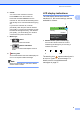



Table Of Contents
- BASIC USER’S GUIDE DCP-J125 DCP-J315W
- User's Guides and where do I find it?
- Table of Contents
- 1 General information
- 2 Loading paper
- 3 Loading documents
- 4 Making copies
- 5 Printing photos from a memory card
- 6 How to print from a computer
- 7 How to scan to a computer
- A Routine maintenance
- B Troubleshooting
- C Menu and features
- D Specifications
- Index
- brother ARL/ASA/NZ/SAF

Chapter 2
12
If you have problems printing on
envelopes with the flap on the short
edge, try the following suggestions:
2
a Open the envelope flap.
b Put the envelope into the paper tray with
the address side down and the flap
positioned as shown in the illustration.
c Adjust the size and margin in your
application.
Removing small printouts
from the machine 2
When the machine ejects small paper onto
the output paper tray cover you may not be
able to reach it. Make sure printing has
finished, and then pull the tray completely out
of the machine.