
Quick Start Guide




Chapter 6
34
Scanning using the SCAN key 6
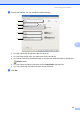
a Load your document. (See How to load documents on page 25.)
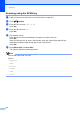
b Press (SCAN).
c Press a or b to choose Scan to PC.
Press OK.
d Press a or b to choose File.
Press OK.
e (For Network users)
Press a or b to choose the destination computer you want to send to.
Press OK.
If the LCD prompts you to enter a PIN number, enter the 4-digit PIN number for the
destination computer using the dial pad on the control panel.
Press OK.
f Press Mono Start or Colour Start.
The machine starts the scanning process.
Note
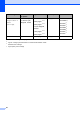
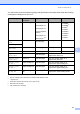
Choose the scan mode you want.
Scan to:
• Network
• FTP
• E-mail
• Image
• OCR
• File