
All in One Printer User Manual

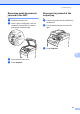
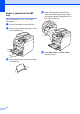
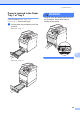
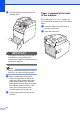
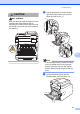
Table Of Contents
- BASIC USER’S GUIDE DCP-9055CDN
- User's Guides and where do I find it?
- Table of Contents
- 1 General information
- 2 Loading paper
- 3 Loading documents
- 4 Making copies
- 5 How to print from a computer
- 6 How to scan to a computer
- A Routine maintenance
- B Troubleshooting
- Error and maintenance messages
- Document is jammed in the top of the ADF unit
- Document is jammed under the document cover
- Removing small documents jammed in the ADF
- Document is jammed at the output tray
- Paper is jammed in the MP tray
- Paper is jammed in the Paper Tray 1 or Tray 2
- Paper is jammed at the back of the machine
- Paper is jammed inside the machine
- Paper is jammed underneath paper tray 1
- Troubleshooting
- Machine Information
- Error and maintenance messages
- C Menu and features
- D Specifications
- Index
- brother ARL/ASA/NZ/SAF/GLF
Troubleshooting
91
B
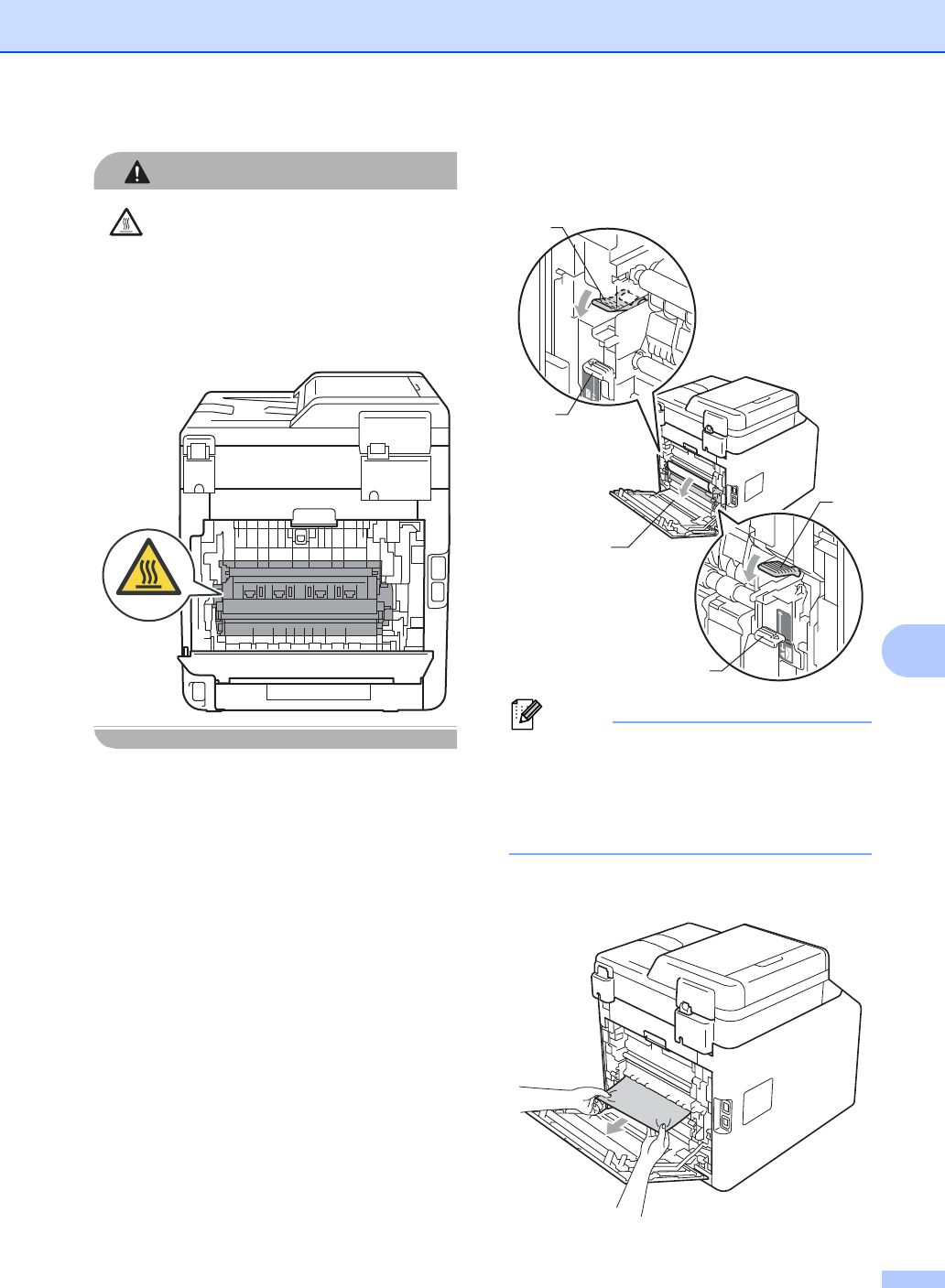
CAUTION
HOT SURFACE
After you have just used the machine, some
internal parts of the machine will be
extremely hot. Wait for the machine to cool
down before you touch the internal parts of
the machine.
c Pull the green tabs (2) at the left and
right hand sides toward you and fold
down the fuser cover (1).
Note
If the envelope levers (3) inside the back
cover are pulled down to the envelope
position, lift these levers to the original
position before pulling the green tabs (2)
down.
d Using both hands, gently pull the
jammed paper out of the fuser unit.
1
2
2
3
3