
All in One Printer User Manual
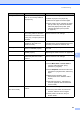

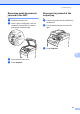
Table Of Contents
- BASIC USER’S GUIDE DCP-9055CDN
- User's Guides and where do I find it?
- Table of Contents
- 1 General information
- 2 Loading paper
- 3 Loading documents
- 4 Making copies
- 5 How to print from a computer
- 6 How to scan to a computer
- A Routine maintenance
- B Troubleshooting
- Error and maintenance messages
- Document is jammed in the top of the ADF unit
- Document is jammed under the document cover
- Removing small documents jammed in the ADF
- Document is jammed at the output tray
- Paper is jammed in the MP tray
- Paper is jammed in the Paper Tray 1 or Tray 2
- Paper is jammed at the back of the machine
- Paper is jammed inside the machine
- Paper is jammed underneath paper tray 1
- Troubleshooting
- Machine Information
- Error and maintenance messages
- C Menu and features
- D Specifications
- Index
- brother ARL/ASA/NZ/SAF/GLF
Troubleshooting
85
B
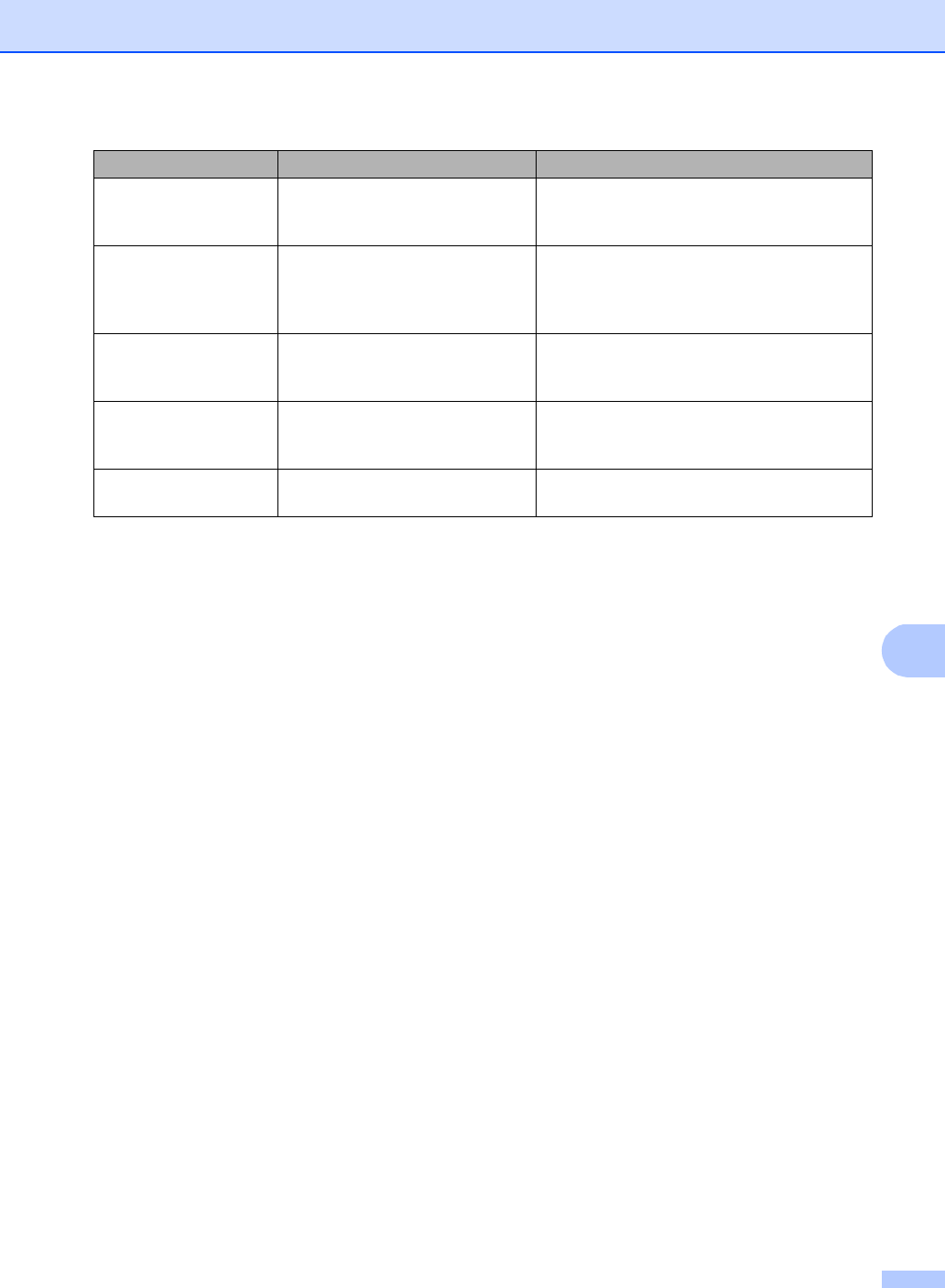
Size mismatch The paper in the tray is not the
correct size.
Load the correct size of paper in the tray and
set the “Paper Size” (Menu, 1, 1, 2). (See
Paper Size on page 18.)
Small paper The paper size specified in the
printer driver is too small for the
machine to deliver it to the
Face-down output tray.
Open the back cover to let the printed paper
out on the back output tray and then press
Mono Start or Colour Start.
Toner Error One or more toner cartridges are
not installed correctly.
Pull out the drum unit. Take out all the toner
cartridges, and then put them back into the
drum unit.
Toner Low The toner cartridge is near the
end of its life.
Buy a new toner cartridge for the colour that
is indicated on the LCD before you get a
Replace Toner message.
WT Box End Soon The waste toner box is near the
end of its life.
Buy a new waste toner box before you get a
Replace WT Box message.
Error Message Cause Action