
All in One Printer User Manual
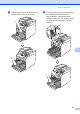
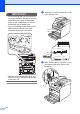
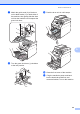
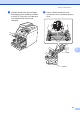
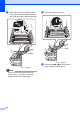
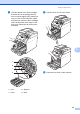

Table Of Contents
- BASIC USER’S GUIDE DCP-9055CDN
- User's Guides and where do I find it?
- Table of Contents
- 1 General information
- 2 Loading paper
- 3 Loading documents
- 4 Making copies
- 5 How to print from a computer
- 6 How to scan to a computer
- A Routine maintenance
- B Troubleshooting
- Error and maintenance messages
- Document is jammed in the top of the ADF unit
- Document is jammed under the document cover
- Removing small documents jammed in the ADF
- Document is jammed at the output tray
- Paper is jammed in the MP tray
- Paper is jammed in the Paper Tray 1 or Tray 2
- Paper is jammed at the back of the machine
- Paper is jammed inside the machine
- Paper is jammed underneath paper tray 1
- Troubleshooting
- Machine Information
- Error and maintenance messages
- C Menu and features
- D Specifications
- Index
- brother ARL/ASA/NZ/SAF/GLF
64
IMPORTANT
• We recommend that you place the drum
unit and/or the toner cartridge on a clean,
flat surface with a sheet of disposable
paper or cloth underneath it in case you
accidentally spill or scatter toner.
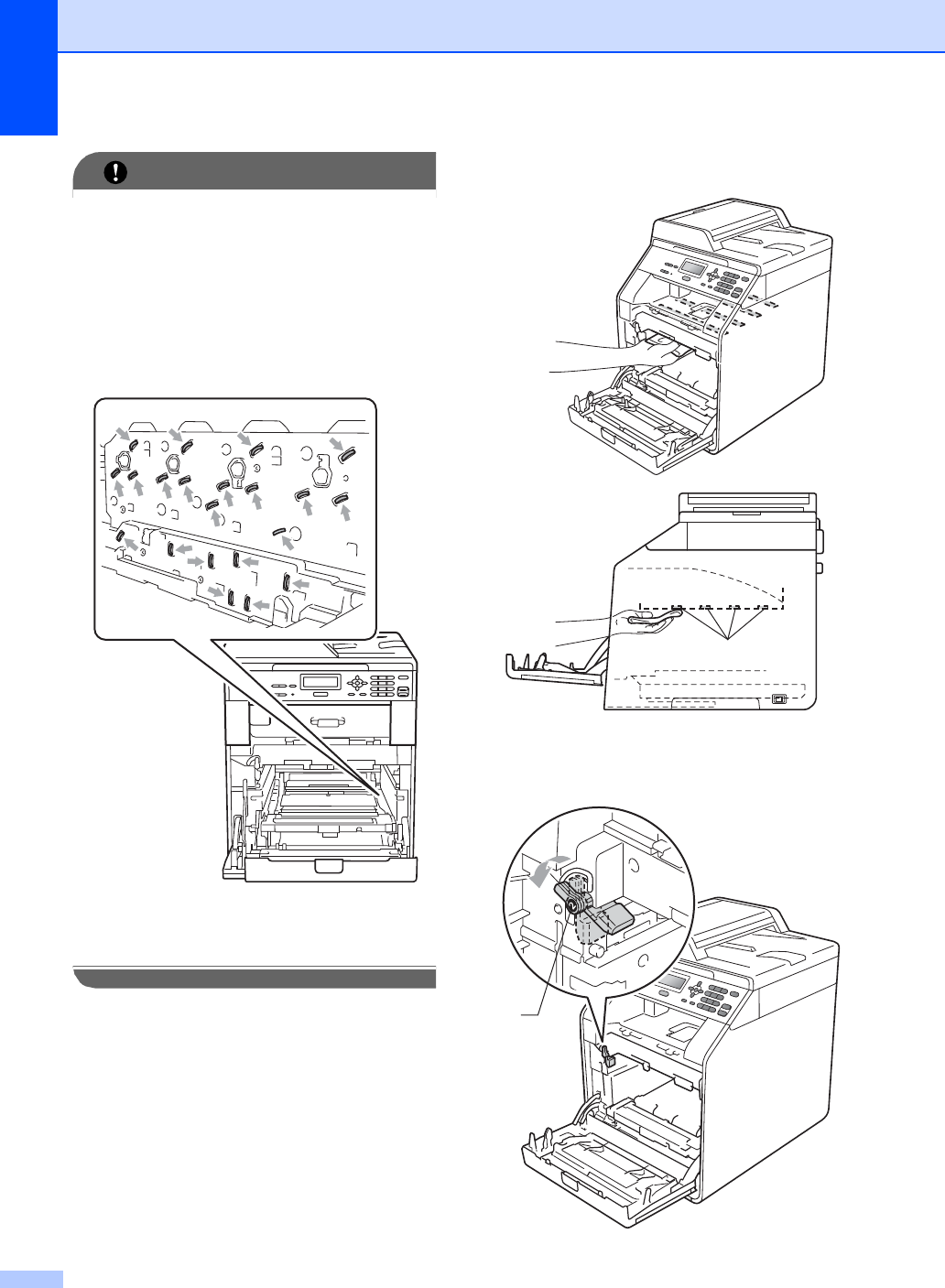
• To prevent damage to the machine from
static electricity, DO NOT touch the
electrodes shown in the illustration.
• Hold the green handles of the drum unit
when you carry it. DO NOT hold the side
of the drum unit.
e Wipe the four scanner windows (1) with
a dry, lint-free cloth.
f Make sure the green lock lever (1) is in
the release position as shown in the
illustration.
1
1